Showing posts with label edblognz. Show all posts

Thursday, 21 February 2019

Digital technologies, Exploring the Revised Technology Learning Area

Exploring the Revised Technology Learning Area

Exploring the Revised Technology Learning Area. From the beginning of the ideas, the word compulsory was used. This is no longer the case. I wish I had read and understood the words from the following document earlier in the process. It has been through reading this as well as a range of other documents that I am now starting to develop a better understanding and as well as develop better guidance.

So the main document I am reading and developing my understanding is from http://nzcurriculum.tki.org.nz/The-New-Zealand-Curriculum/Technology this is the Revised Curriculum document for Technology.

We've revised the Technology learning area to strengthen the positioning of Digital Technologies in The New Zealand Curriculum. The goal of this change is to ensure that all learners have the opportunity to become digitally capable individuals. This change signals the need for greater focus on our students building their skills so they can be innovative creators of digital solutions, moving beyond solely being users and consumers of digital technologies.

Schools will be expected to fully integrate the revised learning area into their curriculum by the start of the 2020 school year.

Technology in the New Zealand Curriculum 2017 (PDF, 354 KB)

Technological areas 

The technological areas provide contexts for learning. At primary school, teachers will generally take a cross-curricular approach, with students learning in the technological areas as part of a topic or theme that encompasses several curriculum learning areas. This approach can also be applied in years 9 and 10, before students begin to specialise in particular technological areas.

Digital technologies 

The first two of the five technological areas focus on developing students’ capability to create digital technologies for specific purposes. In years 1–8, these two areas are usually implemented within other curriculum learning areas, integrating technology outcomes with the learning area outcomes. These two areas also significantly contribute to students developing the knowledge and skills they need as digital citizens and as users of digital technologies across the curriculum. They also provide opportunities to further develop their key competencies.

By the end of year 10, students’ digital technological knowledge and skills enable them to follow a predetermined process to design, develop, store, test and evaluate digital content to address a given issue. Throughout this process, students take into account immediate social and end-user considerations. They can independently decompose a computational problem into an algorithm that they use to create a program incorporating inputs, outputs, sequence, selection and iteration. They understand the role of systems in managing digital devices, security and application software, and they are able to apply file management conventions using a range of storage devices.

By the end of year 13, students who have specialised in digital technologies will design and develop fit-for-purpose digital outcomes, drawing on their knowledge of a range of digital applications and systems and taking into account a synthesis of social, ethical and end-user considerations. They understand how areas of computer science such as network communication protocols and artificial intelligence are underpinned by algorithms, data representation and programming, and they analyse how these are synthesised in real world applications. They use accepted software engineering methodologies to design, develop, document and test complex computer programs.

So, what is it that I have found, technology in general, this is not specific to digital technologies, but all the technology strands.
The technological areas provide contexts for learning. At primary school, teachers will generally take a cross-curricular approach, with students learning in the technological areas as part of a topic or theme that encompasses several curriculum learning areas. This approach can also be applied in years 9 and 10, before students begin to specialise in particular technological areas.
When reading this, the part I have to remember is...
At primary school, teachers will generally take a cross-curricular approach, with students learning in the technological areas as part of a topic or theme that encompasses several curriculum learning areas.
That encompasses several learning areas... Ok, I know what that means.
This approach can also be applied in years 9 and 10, before students begin to specialise in particular technological areas. 
Specifically focussing on Digital technologies now...
In years 1–8, these two areas are usually implemented within other curriculum learning areas, integrating technology outcomes with the learning area outcomes. 
Now back to the first section,
Schools will be expected to fully integrate the revised learning area into their curriculum by the start of the 2020 school year.
Fully integrate, what does this mean, and for me this thinking has been derived from Page 44 of the NZC 2007. Is it that schools should be integrating the revised Technology Learning Area into their schools effectively taught programme of Technology.

Now, what does it say in the other strands?

Learning pathways, Page 5

Over the course of years 1–10, students learn in all five technological areas, developing their knowledge and skills in context. By offering a variety of contexts, teachers help their students to recognise links between technological areas. Students should be encouraged to access relevant knowledge and skills from other learning areas and to build on their developing key competencies. Work towards progress outcomes in computational thinking for digital technologies and designing and developing digital outcomes should build each year in order to ensure learners achieve all of the significant learning steps.

This states the five technological learning areas,
  • Computational thinking for digital technologies
  • Designing and developing digital outcomes
  • Designing and developing materials outcomes
  • Designing and developing processed outcomes
  • Design and visual communication.
How are school integrating the learning from these areas with their school curriculum?


Integration
While it could be integrated within other learning areas, as it would be in the primary school years, this is where schools need to be figuring out what they are planning on doing. If integration is being used within schools to combine learning areas into rich learning as they now are in the new modern learning environment schools where the pedagogy has changed and the removal of SILO's has been thought about and developed through comprehensive PLD. These are few and far between. There are existing schools that are using this change to explore curriculum review to be able to reshape what the curriculum looks like within the school.

While aspects of these two areas could be taught within other curriculum areas, it is through the technology-digital technologies specialist teacher that the strength of the specific curriculum knowledge and skill to allow the rich learning to take place to enable students by the end of year 10 the knowledge and skills to enable them to meet the suggested outcomes in the document.
While all teachers are teachers of literacy and numeracy, digital fluency, it is the specific subject knowledge and skills of the specialist teacher that provides opportunities for students to engage through authentic contexts and end users the rich learning.

Schools also need to consider the NZC 2007
Page 44 of the New Zealand Curriculum States

Each board of trustees, through the principal and staff, is required to develop and implement a curriculum for students in years 1–13:
  • that is underpinned by and consistent with the principles
  • in which the values are encouraged and modelled and are explored by students
  • that supports students to develop the key competencies.
Each board of trustees, through the principal and staff, is required to provide all students in years 1–10 with effectively taught programmes of learning in:
When designing and reviewing their curriculum, schools select achievement objectives from each area in response to the identified interests and learning needs of their students. For learning in digital technologies, schools need to provide learning opportunities in line with the progress outcomes from the technology learning area.

Models of Curriculum Integration
Models of Curriculum Integration in New Zealand Secondary Schools, Philip Jellyman, The conclusion is one of the best that I have found. However, I feel that he does miss a point, the catalyst for change should not only be about buildings, but schools looking at how they are offering the curriculum. It has now been 11 years since the NZC 2007 was implemented within schools. 
Conclusion Implemented well, an integrated curriculum, aligned with modern teaching practices such as inquiry learning based on authentic contexts, has the potential to enhance student learning and competencies beyond what is generally possible in subject specific lessons. Schools considering introducing some form of integrated curriculum should be wary of the barriers identified above and take steps to address them in advance. The most successful schools operating integrated curricula tended to be those new schools that have been built over the past 10 years. The reason for their success is that they were able to integrate solutions to these barriers into their design. For example, a clear vision of what an integrated curriculum looks like was typically established as a part of the founding principles of the school with the timetable designed to facilitate this from the beginning. Staff were hired with a clear understanding what this vision was and the ramifications for their teaching and parents were inducted into the school’s vision without any baggage as to how things were done in the past. In addition, the advent of more open plan modern learning environments contributes to the opportunities to integrate the curricula by allowing multiple teachers to be operating in the same space with several classes.  
This latter point may constitute an opportunity for established schools considering an integrated curriculum in that, as new school buildings are built along modern learning environment principles over the coming years, this could provide a catalyst for discussion and integrated curriculum development.  
In terms of the best structure for an integrated curriculum, from my observations I would suggest that the structure is less important than the collective vision of what the school wants the students to gain from it. Staff and senior leadership need to be clear as to what a move to an integrated curriculum is designed to achieve for the students and the rationale behind it. If the staff are on board and supported with time and professional development, then any structure can be made to work well and similarly, if staff do not buy into the programme then which structure is followed will not matter either.
Curriculum integration in New Zealand secondary school, lessons learned from four early adapter schools looks at the following lessons learned, the ideas here are around school leadership taking an active role in the development of this. Currently, it feels through the feedback that the Revised Technology Learning Area is being given to the Digital Technology teacher to sort out, rather than taking a leading role in a whole curriculum integration approach.
Conclusion—lessons learned 
In sum, a number of lessons can be learned from the experience of these early adopter schools:
  • Schools and their leaders should not underestimate the importance of addressing teachers’ beliefs about curriculum integration, as well as allowing teachers time to confront the necessity for change. 
  • Slow, considered change leads to more effective and successful curriculum integration. 
  • Timely and relevant professional learning is vital to allow teachers to gain firm theoretical understandings in order to support curriculum integration. 
  • Individual teachers interested in embracing curriculum integration should ensure that they are adequately supported by senior and middle leaders, as well as colleagues and caregivers. The decision to employ curriculum integration should be grounded in a real need, which is student-driven. 
  • Resources are needed to equip school leadership, and provide a greater research base to support schools to develop sophisticated approaches to curriculum integration (Dowden, 2012). 
Models of Curriculum Integration in New Zealand Secondary Schools Sabbatical report, Term 2, 2015, Philip Jellyman, St Dominic’s Catholic College
http://www.educationalleaders.govt.nz/content/download/73195/601556/file/Philip%20Jellyman%20Sabbatical%20Report%202015%20-%20Models%20of%20Curriculum%20Integration.pdf

Intergration models in New Zealand, Radio NZ, 2018
https://www.radionz.co.nz/national/programmes/insight/audio/2018670501/learning-revolution-or-pathway-to-ignorance

Student inquiry and curriculum integration, Shared origins and points of difference (Part A), Sally Boyd and Rose Hipkins, 2012, https://www.nzcer.org.nz/system/files/set2012_3_015.pdf

Curriculum integration in New Zealand secondary schools, Lessons learned from four “early adopter” schools, Susan Arrowsmith and Bronwyn E. Wood, 2015, https://www.nzcer.org.nz/system/files/set2015_1_058.pdf

Tuesday, 1 May 2018

Refresh - Energise, hubsketch and grit

The learning pit.

This is a common phrase within schools, like it or not. Having the opportunity to start to recognise and deal with this is what I feel the cyclone energise conference is about. Give teachers opportunities to find there way out of the learning pit. A conference in the holidays helps me to find my way, connect back with people that are outside my school and region.

The energise conference is a fun filled, high energy Education Conference like no other. It focuses on empowering teachers and leaders to provide every student with the education that they deserve. Join us to connect with expert educators from early years, primary and secondary to explore the latest ideas on best practice teaching and learning and leadership.

Boy did it deliver. Starting off listening to Ali Carr Chellman - 'Gaming to Re-engage Learning' and finishing off with the keynote from Sylvia Duckworth - (Sketchnote queen) 'Why Creativity Matters'.

I had workshops with Cheryl Doig about collaboration and why it is needed to support students and teachers, with some good thinking around how we might better work towards better collaboration within our school.


Next was Matt Nicol from Rolleston and his Korero around how they are developing their school and what takeaways from its development over the past two years.

I then went to a session on the new Digital Technologies Curriculum and where to start. Having had some major input into the new curriculum strands, it was important for me to hear where other people are at. I think the kiwi phrase of "Yeh, na" nails it.

The second day I found myself at a bit of a loose end, the reality of holidays ending and emails starting to come in around changes to timetables and reporting start to hit. But I did make sure that I stayed engaged with aspects of the conference.

At 8am we had to find our teams, these were organised by the conference people, I was in a team of four, people I had never met over the conference and we had to use the information we were given and an ipad and sphero to complete challenges. I now know how my adventure racing students must feel when I have given them challenges to do with other students that they don't know. A quick getting to know you, what can you bring to the team and we were off, it seems that I got given the job of programming and making the sphero drive around, to tell you, this is something challenging, I swear it has a mind and control of its own.
To drive a sphero into a clam shell of water
To make a team flag
To make a chariot and race down a course
To drop the sphero in the paint and paint a creation on the floor
To stick an animal sticker on a cup and to program the sphero to act like the animal. We had a turtle.
All had to be videoed and photographed and placed up in twitter for evidence of learning.


All of this was design to show people how the new digital technologies curriculum - computational thinking could be used with students.

I must say I felt quite embarrassed when it was announced that we won the competition at the end of the day.


The end of the conference keynote was a highlight for me, from writing positive sayings on paper and then creating it as a paper plane and throwing it into the crowd, through to learning to draw was a highlight.
The paper plane that found me
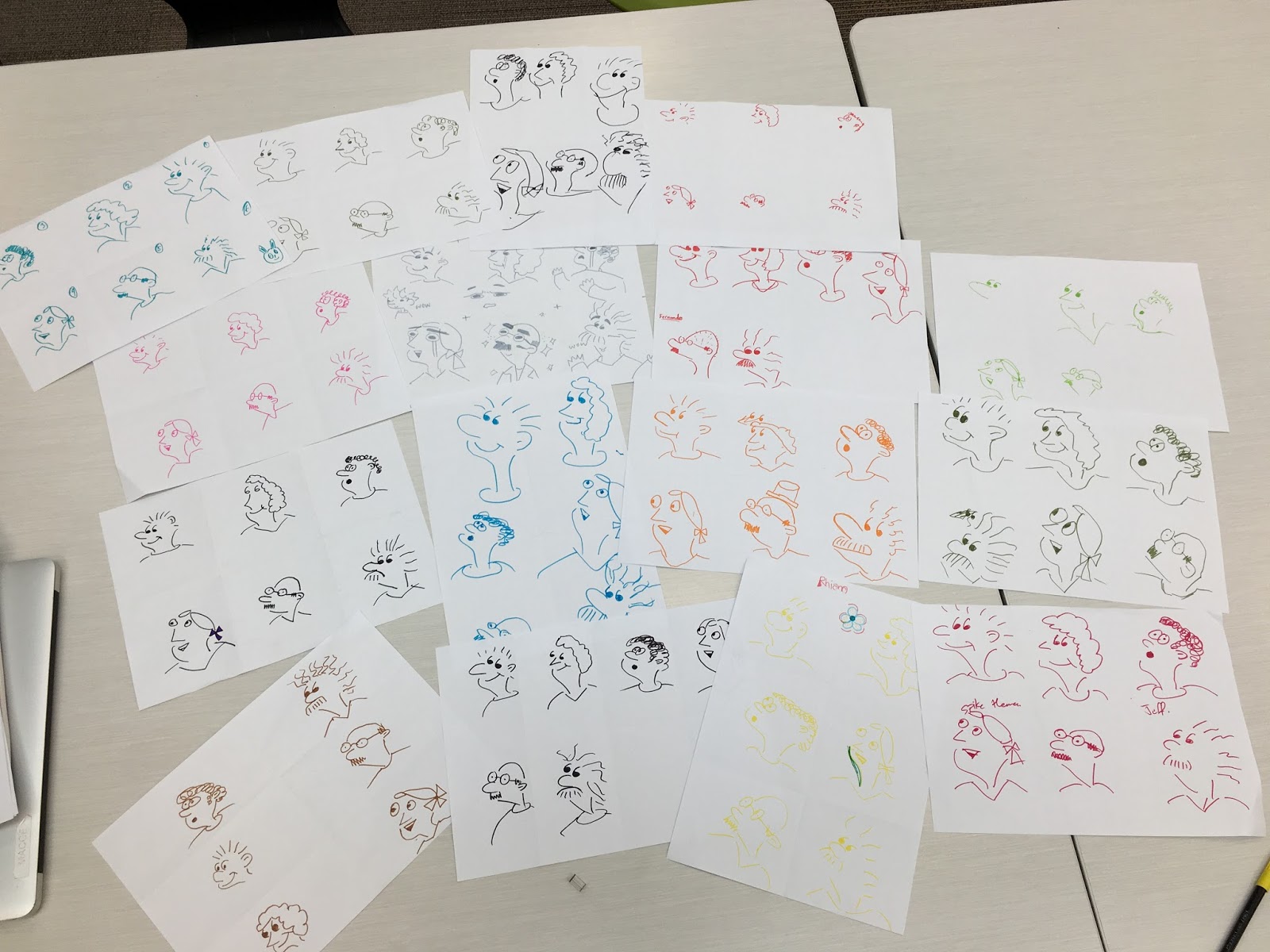
My drawings


These are things that I can do with the students at school and I must say I have been doing since I returned from Christchurch.

Here are the students drawing creations from the beginning of Mondays Learning Hub - Ako. The video is based on the TED talk, so you think you can't draw.


This inspired me to refresh an activity that I was introduced to back in 2015 when Steve Mouldey and Danielle Myburgh were in our community, Taheretikitiki at school. Sketch a day in May. Here is the blog post that started the drawing https://stevemouldey.wordpress.com/2015/04/30/sketch-a-day-in-may/

I developed this with my Learning Hub - Ako back in 2015 and it has been something that I wanted to bring back over the last couple of years, but Hub had changed and we were required to do other aspects of our Hub Curriculum. However this year, I have made a conscious choice to do Porowhita in a slightly different way. That is for the students to draw. they get a post it note and a felt. When they hand there drawing in they have to say what their drawing is about. This is then added to the table and a photo taken. I plan to add them to the Instagram feed that I created in 2015 called hubsketch.


I look forward to Learning hub tomorrow where I am exploring GRIT with the students. One of our Deputy Principals often talks about GRIT, http://lea72.blogspot.co.nz/2016/09/being-adventurous-requires-grit.html so it has been a good explore and make sense of what GRIT is and how it affects their lives. This is working towards developing Personal and Academic Goals for the students.


Monday, 11 September 2017

Ordering coffee in Maori

Looking forward to using this with my next school coffee order.

#maorilanguageweek

Place names

Pronunciation Guide


Friday, 30 June 2017

Challenge - Digital Technologies Curriculum

Since the announcement, I have been thinking about some of the ideas that have come out from it and these are some of the ideas around some questions that we could be asking ourselves.

What would some responses look like for some of these questions?

What does digital technologies currently look like in your school for years 9-10 students?

I have written a number of posts in relation to this over the 3 years I have been at HPSS now.
For me, it hasn't been about the "toys", it has been about developing the concepts of computational thinking, as well as design and developing digital outcomes.

This is from a blog post that talks about where is the fun stuff?
my fun stuff has been brief development where students developed a brief for new training equipment to develop a skillset in PE. (no specific requirement on any tech area)
my fun stuff has been technological modelling where students have been developing ideas around an app for developing skills with the primary school students years 4-6
my fun stuff has been technological outcomes were students made a stop motion video around relationships for visual text through an english context.
my fun stuff has been elements of design creating graphic novels through an english context.
my fun stuff has been digital information using documents and sheets
my fun stuff has been digital media photoshop looking at students photo editing skills, collage development and incorporating mixed media to support the ideas required for level one.
my fun stuff has been SketchUp recreating building around the hobsonville point for historical purposes.
my fun stuff has been developing personal vinyl stickers to identify BYOD devices and who they belong to.
my fun stuff has been developing a technological outcome for 5 years through scratch
my fun stuff has been programming through ardunio using the mindkits brainboard develop prototypes
my fun stuff has been programming through python to develop games through technological systems
my fun stuff has been digital information, creating guess who through mysql console for technological modelling.
my fun stuff has been digital media through developing simple websites using notepad++ through outcome development.
my fun stuff has been teaching students about algorithms, human computer interfaces, data representation which has covered a lot of technological systems.
my fun stuff has been integrating aspects of drama into getting students to understand computer science concepts.
my fun stuff has been integrating aspects of drama into getting students to develop digital citizenship related videos.
my fun stuff has been getting students to develop landmarks/building/new recycling bin ideas through 3d printing.
my fun stuff has been students using the local area and finding out more about it to update websites, apps and develop information signage to go around our community.
my fun stuff has been getting students understanding about self driving cars through the LEGO ev-3 Mindstorms systems and learning about testing.
my fun stuff has been getting students working with digital media-video to create social action ad's that can go on the visual signage around the school.
A lot of this has taken place from the student voice we get from the students, as well as conversations that I have with students in the modules. What is it that they want to get out of school, from the area. Where will this take them. I look forward to what the students will be doing in the next couple of years with the knowledge and skills that they have obtained through technology and digital technologies.

What are some of the barriers that are currently in the way of working towards the new digital technologies curriculum?

For me, it is the difficulty of what digital technologies is to people, the community, and other teachers. This is one of the most difficult parts at present. The name itself. ind you, technology, computer science, and ICT all have baggage with them as well. The ideas that we are trying to get through to the students who at present who have high anxiety over their English and Maths results from every time they are tested or reported on.  The baggage of the technology curriculum. While strands and achievement objectives have been important, these are not evident in the new digital technologies curriculum. The move to progress outcomes will cause considerable issues within schools as they are not curriculum level. How does one show a Basic, Proficient and Advanced mastery of this? Getting schools to rethink reports for a particular learning area is going to be a challenge. I am lucky in the way that our school functions around our Learning Design Model in the way that we report. I guess it is around the conversations that we have. I need to be better at the Open Learning Conversations and sit down and talk with our principal about some of the barriers that he sees as a school.
Being the only teacher? This one is still a hard one to delve into, I was challenged in my thinking around this yesterday, However, looking at it from a different lens, I am not the only teacher in the school. There are others who have an interest, who are innovating in their practice in the school. I need to be talking with them more, developing that thinking and ideas.


How does the current timetable in your school support the ideas of the new digital technologies curriculum?
Has our timetable stopped changing? No. We are in our fourth year of operating as a school. The changing nature of our school in adding a new year level each year providing challenges and opportunities. Modules provide opportunities to work together with another learning area and provide an integrated curriculum.
Technology - Digital Technologies and English
Technology - Digital Technologies and PE
Technology - Digital Technologies and The Arts - Drama
Technology - Digital Technologies and Social Sciences
Technology - Digital Technologies and Mathematics 
These are the areas that I have been working with over my time here. Through our integrated learning approach, such wonderful rich connections

It is not only just being taught through one area.
SYMTEXT uses Edison robots to get students to develop algorithms to think about how they can be successful through providing step by step instructions.
Mytimes provided opportunities for students to develop pixel art as well as developing paper based electronics.
Projects has allowed students to develop electronics, access virtual reality, robotics.

A lot of that different "stuff" has also been around what students come and ask for, be it recording, using maky maky's for HCI experiments, go pro's that allow students to record their learning. Also access to arduino's for students to develop some electronics sensor recording. Having high quality camera for students to be creative. It is having these on hand for students to develop their understanding that is outside the classroom.

Also had opportunities to work with the primary students in them developing their coding, as well as digital media.

I suppose the thinking around this, is that students learn through a more integrated curriculum, the learning of Digital Technologies is happening in other places, it is not limited to. Students Explore, Make Sense, Focus Generate, Test, Refine, and Evaluate through the Design Thinking Process whenever they are developing a Digital Outcome. How do we provide the tools and thinking to support other teachers through this.

What do the progress outcomes mean for reporting digital technologies within your school and to your parents?
We are sitting rather well around this, as we don't report achievement objectives, instead;
"Progress is reported against curriculum levels that align with Learning Area (subject) learning objectives. Students are measured against the New Zealand Curriculum, utilising curriculum and sub levels to signal the depth of thinking and understanding. This is one of the ways that we share achievement and progress with parents and whanau." - HPSS Summative Progress Report

How might you as a leader of digital technologies help promote the ideas of the new curriculum to senior management?
Have already started the conversation, I haven't gone in with the attitude of things must change, it is about listening to them and providing them the understanding. Yesterday I sat down with our principal and had a discussion with him about what he saw and heard at the cross sector forum.
------------some notes from that meeting----------

Changing feast - always changing.

Starters in conversation, how do I change the open to learning conversation.
Active listening.

Change reporting in school to match the digital technologies outcome statements.

Message from robotics, not using digital, but being digital. 
Looking at a way to capture the resources, getting our students digitally fluent, achieving these progress outcomes.

That our school be seen as a beacon of quality digital citizenship and digital ethics

Developing computational thinking

Provide connections between learning areas. 

Access through our facilities management building management system, data from energy, water use, waste. Through our community.
Need to get access to this.

How do we take the technology curriculum to all students and teachers.
The process of learning/ design thinking/ process that should drive learning for all learning areas.

Achievement Objectives vs progress outcomes.

What is the process of learning, learning design model, learning is a process. In other school learning is the delivery of stuff. Teacher and student may not understand what the process is. How do we show depth of thinking?
-----------------
Some of these may be answered within just a couple of words, but as we go through the consultation period,

I for one would like to see some discussion on the questions that are in the consultation document. Especially around,

What does this mean for Technology in schools? This is one that I am trying to come to grasp with at the moment, what does this look like for me as Learning Design Leader - technology. Does the specific skills in Technology (Food, DVC, Materials) need to change? Considering the ideas of Designing and Developing Digital Outcomes, aspects of the work in these areas are now more digital based, textiles have access to laser cutter, embroadory machines, and e-textiles. DVC has access to rhino and other 3D creation packages where students are developing their drawings into imagined worlds. Materials have the laser cutter where exact measurements are being cut and accurate use of materials. The area of Technology is becoming more digitised.

For us, I believe that we are well placed for the changes.

How useful is the consultation material in considering how to integrate and adapt the proposed DT|HM content to design local curriculum for your students?
I have been thinking about what local curriculum is, one of the ideas is to use what we started off with in our school. That was about Our Community, being able to think about us as a school, our community, our region and New Zealand.
As a school we generate a huge amount of data through our Building Management System, what is it that we can gather and use through the sensors that we have already, start some interesting conversations around.
The community, while it has been talked about for a while now, getting students starting to develop their own businesses in the use of digital technologies. How do this look like in practice?
I use the community to enable students to go out and get their original content, it has been rather great to be in a space that is always changing, has public art, pretty cool historic buildings, and has some great parks. These provide opportunities for students to be creative as well as opportunities for the community to see learning outside the school.
I guess in someways it has been something we have already considered within our school. Innovate. Engage. Inspire. It will be how do we show this in a more visible way.

How might we reflect digital technologies learning in the name of the Technology Learning Area?
Technology has so many issues with names, when you say Technology outside of the education system, people already assume the use of devices and associated peripherals.
I would like to propose, Design and Digital Technologies.

Thursday, 30 March 2017

Not just a 3D printed object

Good evening,

There was a post on the digital technologies group this week;
Has anyone got a Level 2 assessment that could include 3D printing? It doesn't need to be DT standard. Could be Generic or other.
as well as
I have access to a small 3D printer for the first time this year. I would love some ideas for my Year 10 class on items they could make in SketchUp and 3D print. So far they have printed their name and a little person which I found the idea for on www.thingiverse.com. I would like to utilise the printer more and would love to know what others are doing. Any ideas, advice? Thanks
It is great to see teachers starting to embrace new technologies in their classroom. This started a conversation at school around how do we use 3D printers, is it an outcome that people just want to develop? or should we be looking at the innovation, engagement with learners, inspiring students to look at social good?

I have a students in my WALLE module, LEGO EV3 robotics where students are developing concepts of understanding of automated systems. This students loves to have something tactile with him, it is a way of him being able to concentrate better in class.

Another student has tactile putty with him and is developing his own spinners. Both of these students have some form of learning difficulty.


We have talked about fitgit cubes and other outcomes throughout the year, but when these emails came through, I started to think, not only of our students who are in our classrooms, but other students as well.

How could Technology Achievement Standards work to help students develop an understanding of their fellow students, but also assist to help better learning outcomes.

Through our Innovate Learning Environment I was able to go have a conversation with them about the idea. It just so happened that most of the gear on the desk was yo yo's fidget spinners, tactile putty, it helped the conversation start. What amazed me was that the class went quiet while the students spoke, the teachers, teacher aides and other students all started listening to what was being talked about and said. Some teachers also talked about how they have had to adapt to change as normally they would have banned these items from class. However through the conversation that we were having, it highlighted how its helped them to concentrate. How it was different from the pen clicking and the finger strumming.

Some of my thoughts that have lead me to this idea.
The ideas come from my students around concentration, entertainment, keeping focus, tactile, simple rather than complicated, Quiet (imagine clicking the pen, or tapping fingers)

The ideas come from the fidget widget, yo yo's, tactile putty, spinners. This is not around a distraction, but as a way to help them maintain focus within the classroom.

Stakeholders can be the ADHD kids in class or school.

Looking at the prototyping assessment for Technology Level 2 - Prototyping, allows for this type of development to happen. It could be used at other NCEA Levels as well.

Developing a Resource called the fidget widget.This assessment activity requires you to make and trial a prototype from a teacher-approved brief. The prototype is to develop a design outcome that helps students with Attention Deficit Hyperactivity Disorder or Poor Gross Motor Control (Weak muscles, struggle to do activity for a long period of time).

Upon completing this activity, you will submit:
  • your prototype
  • evidence of how you selected suitable materials, components, tools, and equipment
  • evidence of how you used the results of ongoing testing and stakeholder feedback to make and refine your prototype
  • evidence of trialling your garment to justify its fitness for purpose, including an explanation of any decisions you made to accept and/or modify your prototype.
Developing an idea for a need or opportunity is what Technology is about. The Technology essence statement:
Technology is intervention by design: the use of practical and intellectual resources to develop products and systems (technological outcomes) that expand human possibilities by addressing needs and realising opportunities. Adaptation and innovation are at the heart of technological practice. Quality outcomes result from thinking and practices that are informed, critical, and creative.

Technology makes enterprising use of its own particular knowledge and skills, together with those of other disciplines. Graphics and other forms of visual representation offer important tools for exploration and communication.

Technology is never static. It is influenced by and in turn impacts on the cultural, ethical, environmental, political, and economic conditions of the day.
When you read the statement and think about what the idea is about, students can see opportunities and start to think of the ideas, rather than just develop a 3D printed outcome.

I attach the following Technology_Level_2_Prototyping Achievement Standard Assessment, it would have to be modified to work within your school, but I hope it would provide an idea of the potential for students.


Lower levels

Since we are looking at technological products from the curriculum have developed a focus around transformation and manipulation of plastics. First we are looking at the different filaments that can be used, how they are made and the lifecycle of them.

This then leads to an activity that is being developed by the Print Lab, Facebook page here https://www.facebook.com/weareprintlab/
In this lesson plan, students will design and 3D print a 1:50000 scale model of Mount Everest and its surroundings. Each student will be assigned a contour map to analyse before designing it in 3D and preparing it for 3D printing. 16 tiles will be created that assemble to form the 3D contour model.

This leads to a social good project around community and infrastructure, similar to getting students interested in their community project that happened in Christchurch a number of years ago that led to the the Margaret Mahy Playground being formulated and constructed. What is it that students see as needed in their community. This is getting students to look at what is required as part of a community, where it should be placed. This is getting students to create concepts, prototype and refine their designs that they will develop their classroom community for as each student will be required to develop a different part or function.

Another idea is to look at individual towns/cities of New Zealand and find the symbol that they are famous for, develop a map of New Zealand and use the 3D Printed symbols to help students identify the town/city.

Hope this gives you some different ideas.

Wednesday, 25 January 2017

Pushing beyond

While watching masterchef over the past couple of weeks, I start to see some similarities with what they are going through.

From going from their normal cooking through to developing creative and innovative dishes. Trying new things and seeing success and failure.

The challenges that they face, develop, build upon. How the judges help with feedback as they are going through.

The same can be said with the school that I am at.

We have the Innovate. Engage. Inspire.
Challenging is one word that is used a lot at school. Developing the collaboration with the teaching, the contexts, and the learning areas. One thing that comes to mind when I started was that there are no textbooks, not even class sets of english books, instead students can choose the book with help from the Innovate information librarians at the school. The blended learning opens students to do both offline and online work. Having the device available in the learning space allows students to not be stuck on a meaning, a word, or having to wait for the next part of their learning. Instead a student being able to see the learning objective and how it works with a rubric or learning design phase helps then to see what is next.

Feedback, one on one checkins with students, I see more and more importance with these, it is a student and teacher working together to develop the needs of the student in class. having the 80 minute lesson and the co-teacher in the room allows these to happen in a more natural way. Progress reports are not a surprise, we have a no surprises rule. The progress report at the end of term is around how the student has meet the learning objective of the term, rather than an achievement objective. The comment is to the student about how they went, and what their next steps are.
But feedback is not just teacher to student, it is also teacher to teacher. Working in an environment that is co-teacher, feedback is constant, what is working well, what didn't work. Even challenging each other to try new ideas are constant. I believe that we have developed better as teachers and the challenge is now where to from here, can we go back to the single space and teacher? But it doesn't stop there. It is also Senior Leadership coming and looking at the teaching and sharing feedback about what they saw, the good and the bad. But thats not all, the Principal also looks at what is going on in the spaces and contributes to the feedback.

The mystery box, Should learning be a mystery? Students use the booklets four times a year to develop the learning that engages them. Use what they they know and build on it.
The booklet allow students to see what contexts the modules and SPINs that have been created around the theme for the term. The role of the learning coach is to make sure that the students have curriculum coverage throughout each term, while also looking at the specific needs of the students in their hub..

Outside the classroom. Having the opportunity to use spaces outside a classroom, this allows students to be out in the community, be responsible citizens. I love using the spaces that we have in our community, the 80 minute lessons allow students to go out and capture the information that hey require for their work. This allows for individualism within contexts, allows students to be creative in what they develop and have ownership of their work.

Looking at the passion of the students
The development of the dispositions, rather than the focus being on a solely academic is a passion that I see more of the students working towards, it has a large importance in our school that the end of the year awards are around the Hobsonville habits rather than being solely on academic success. Having a student who is passionate on the learning that they are doing, many of our students do get their first selections in what context they want to learn.

How to deal with failure?
Sometimes things don't work.
Sometimes the groups that students put themselves in don't work well.
Sometimes students have to be told were to sit.
Sometimes students don't work well on devices.
It is having the confidence to deal with these situations, having open dialogue with the students and having mini chats to get the thinking going about what is going on.

Default State
How do we move from the default state, this has been something that has come up in early on me starting at the school, how do we move from the default state, away from what we have done previously or done again and again. The linking in with the co-teacher, and the themes of the terms and semester help make sure you don't. Making sure that the learning objective is being carried out. But it is also helped by the other parts of the planning.

HMW INNOVATE through personalised learning?

HMW ENGAGE through powerful partnerships?

HMW INSPIRE through deep challenge & inquiry?

Innovation
Each week they look at an innovate way to display or develop the food. How do we show innovation within our classroom, developing the next innovate and creative?

The staples and pantry
The staples of learning, the equipment that they need in every lesson, these have not changed much, Pen, Paper, Pencil, and Device. Though there is some normality of people being upset about students needing a device for lessons, at one point were people upset that they moved away from the pencil?
The fact is the staples in the kitchen continue to change, develop, so must ones learning.

The pantry allows students to access other material, resources, equipment that they may need. The same for our students through online environments.


Friday, 25 November 2016

Integrating drama and technology

Over the past semester, I have been working with an integrated module, NOGRAM, linking drama and technology.

Planning document

We have been looking at how to create resources and ideas for teaching year 5 students aspects of computer science. Students investigated ideas from the csunplugged.org website, as well as differing activities within class.

Today was the learning and teaching aspect of this, where students got to teach another group and discuss their resources.

What was put on the board weeks ago.


Here are some of the photos from today's teaching lessons.
What has come out of this...


Some of the discussion at the end,

One of the fantastic resources one of the students has made, though need to get them to share the documents that have been created in google drive.


It is great to see this on the csunplugged.org website