what does the term 'learner centred' mean to you?
Should it be learner center entered or personalised learned centred,
‘Personalised learning is not cafeteria style learning: picking your own curriculum from a wider self-service menu ...choice is just a means to turn children into more engaged and motivated investors in their own education.’ (Leadbeater 2005: 8)
‘personalised learning … means engaging learners in a highly interactive process of learning. Learning comes through interaction in which the learner discovers for themselves, reflects on what they have learned and how. Effective learning has to be co-created between learner and teacher, in which both invest effort and imagination’. (Leadbeater 2005: 8)
‘Personalised learning is designed to encourage children to see themselves as participants and contributors to their own education, taking responsibility, with teachers and others to design what they learn and how. Learning depends on creative interaction’. (Leadbeater 2005: 15)
‘Personalised learning puts the emphasis on learning through interaction and cocreation: children learn more effectively by participating more fully in their learning’. (Leadbeater 2005: 23)
From a students point of view
Getting to choose the way you want to work, and how you do it. I think that’s really important because it allows the learner to be more focused as well because it’s something that they get to decide, and not many schools let their students do that kind of thing’ (Year 9 student)
‘learning in your own way, not learning all the same way as the other kids, but just learning in your own way.’ (Year 9 student)
‘Take something that many people have done before and make it special to you, so take something and just kind of make it your own. Put your own personal brand on something that’s been done many times before.’ (Year 9 student)
‘A way of learning that’s unique to you, and learning that’s individual’ (Year 9 student)
‘The student has customised his learning to fit what he needs, and the personalisation goes around what he needs to learn at his full potential’ (Year 10 student)
what does the term 'learner agency' mean to you?
can students - communicate why they’re learning; talk about what their next steps for learning are;
have control over how they solve problems; collaborate with others; learn without being told to?
what have you learned from 'lockdown learning' that you want or need to hold on to?
Monday, 11 May 2020

Sunday, 27 October 2019
Narrative Design
What is Narrative Design,
From Edwin McRae's Blog https://www.edmcrae.com/article/what-is-a-narrative-designer
"An approachable, practical field guide for one of the trickiest and most rewarding aspects of game development, "Narrative Design for Indies: Getting Started" is packed with straightforward, actionable advice. Worth your time!" - Chris Bourassa, Creative Director of Darkest Dungeon.
and in english?
Note that I'm dodging around the word 'writer'. Yes, words are a Narrative Designer's only method of communication, if you don't count Googled 'inspiration images' and the odd diagram.
From Edwin McRae's Blog https://www.edmcrae.com/article/what-is-a-narrative-designer
"An approachable, practical field guide for one of the trickiest and most rewarding aspects of game development, "Narrative Design for Indies: Getting Started" is packed with straightforward, actionable advice. Worth your time!" - Chris Bourassa, Creative Director of Darkest Dungeon.
and in english?
Narrative Designers work with Story so that Play has Meaning.
Note that I'm dodging around the word 'writer'. Yes, words are a Narrative Designer's only method of communication, if you don't count Googled 'inspiration images' and the odd diagram.
You might be wondering now, what is going on, this is not your normal ideas, well it is.
I have been doing some thinking over the last four years around a MODULE for English and Digital Technologies. Part of it came true when I last worked for English doing some game development in which the English component looked at the cultural side of things through the Never Alone game.
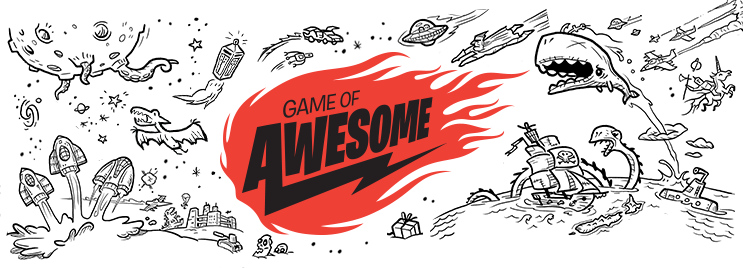
There is an awesome resource that is available for New Zealand teachers to start getting students to write stories, this is the Game of Awesome cards,
These cards are available through the "Down the back of the chair website" as well as through http://success-for-boys.tki.org.nz/Teaching-learning-resources/Game-of-Awesome
What is a potential idea around this. Getting students to write stories, and then use the graphics from the cards to create a game around them. Getting good game art is sometimes very difficult. But here it is.
However, off track.
I have started to play a game with my switch, Firewatch.

Firewatch is a mystery set in the Wyoming wilderness, where your only emotional lifeline is the person on the other end of a handheld radio. ... Perched atop a mountain, it's your job to find smoke and keep the wilderness safe.What is a potential idea around this. Getting students to write stories, and then use the graphics from the cards to create a game around them. Getting good game art is sometimes very difficult. But here it is.
However, off track.
I have started to play a game with my switch, Firewatch.

Ahhh, if only that was true,
This video explains the narrative design in Firewatch and I am starting to wonder what opportunities it may bring to our writers and Digital Technologies students.
Wednesday, 16 October 2019
Physical computing and a paddle
This is the beginning of a blog post that will develop as I design and develop my digital outcome.
It starts with this...
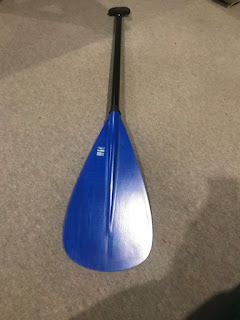 A waka ama paddle.
The authentic context is around an issue of getting students moving in classrooms more, different forms of physical exercise. Opportunities to develop different muscle movements, as well as timing.
It starts with this...

The authentic context is around an issue of getting students moving in classrooms more, different forms of physical exercise. Opportunities to develop different muscle movements, as well as timing.
Thursday, 15 August 2019
Prior knowlede at year 9
I want students that have been exposed to the two new technological areas,
I would like students to recognize when they are talking to virtual avatars and to be able to recognize when something has been created by software and not a human.
I would like them to recognise a design process and be able to use it to be able to design and develop a digital outcome.
I would like students to be able to use their devices effectively.
I would like students to be able to think computational, to be able to put things into an algorithm and to be able think about other ways it could be carried out, to be able to understand what selection, iteration and sequence are, that students have been exposed to a variety of languages and experiences using different programming environments.
To be able to start understanding that they can be the innovators and creators of new ideas.
Example - http://nvidia-research-
Example - http://nvidia-research-
Example - https://www.soulmachines.
Example - https://cdv.dei.uc.pt/insta-
These are some of the ideas that I use within my classroom, understanding the ideas of artificial intelligence or machine learning and what impact it will have on the world that they will live in.
Understanding the ethical and social consideration when developing these types of software.
It was amazing the ideas and the questions students had when shown soul machines and the development that has happened over the past three years. The idea of reflection in the eyes of the webcam to make the avatar not look dead in the eyes and to make it look more real.
Also getting art students to see the ideas and what can be developed with 10 lines of code for contemporary art.
Thursday, 1 August 2019
Learning from the Uk?
‘Teachers were acting as gatekeepers to their respective classrooms, modifying or rejecting outright a curriculum that clashed with local, professional knowledge.'
What I found were teachers acting as gatekeepers to their respective classrooms, modifying or rejecting outright a curriculum that clashed with local, professional knowledge (Foucault, 1980) of what was best for their young students. Instead, they were teaching digital skills that they believed to be more relevant (such as e-safety, touch typing, word processing and search skills) than the computer-science-centric content of the national curriculum, as well as prioritising other subjects (such as English and maths, science, art, religious education) that they considered equally important and which competed for limited class time.
https://www.bera.ac.uk/blog/englands-computing-curriculum-a-clash-of-values-beliefs-and-purpose
I am looking at this as part of my readings at the moment, and when I consider the responses to certain topics or questions based on our local groups, I see the same issues starting to creep in. When students complete there work, they are given typing practice to do. When a student is not considered capable of creating a digital outcome, they are given word processing or presentation standards to complete. While this might be considered busywork, is it in the best interests of our subject, or is it still developing its sense of identity. Considering the teachers that could be teaching it have gone through typing, Text and Information Management, Business Administration, Computing, Information Management, Technology, Digital Technologies.
While it is good to see the work that is going into this in New Zealand and the opportunities, I still fear that we will still see the same statement appear in an ERO report"Teachers were acting as gatekeepers to their respective classrooms, modifying or rejecting outright a curriculum that clashed with local, professional knowledge."
What I found were teachers acting as gatekeepers to their respective classrooms, modifying or rejecting outright a curriculum that clashed with local, professional knowledge (Foucault, 1980) of what was best for their young students. Instead, they were teaching digital skills that they believed to be more relevant (such as e-safety, touch typing, word processing and search skills) than the computer-science-centric content of the national curriculum, as well as prioritising other subjects (such as English and maths, science, art, religious education) that they considered equally important and which competed for limited class time.
https://www.bera.ac.uk/blog/englands-computing-curriculum-a-clash-of-values-beliefs-and-purpose
I am looking at this as part of my readings at the moment, and when I consider the responses to certain topics or questions based on our local groups, I see the same issues starting to creep in. When students complete there work, they are given typing practice to do. When a student is not considered capable of creating a digital outcome, they are given word processing or presentation standards to complete. While this might be considered busywork, is it in the best interests of our subject, or is it still developing its sense of identity. Considering the teachers that could be teaching it have gone through typing, Text and Information Management, Business Administration, Computing, Information Management, Technology, Digital Technologies.
Is there an issue with how Digital Technologies is seen within the school and by other teachers? is this being compounded by the teachers not seeing what other teachers are actually teaching within the school? Do teachers get to see other teachers in action?
I read in the lastest ERO report about digital technologies, the following has been copied from the report https://www.ero.govt.nz/assets/Uploads/Its-early-days-for-the-new-digital-technologies-curriculum-content.pdf
The NZCER (2016 report) found the most common use of digital devices in the classroom was limited to practising skills, research on the internet, and creating documents or power point presentations. Just over half sometimes generated multi-media work or played games or simulations. It was far less common for students to collect and analyse data or do any coding or programming. This level of use indicates a lack of understanding of or capability to extend learning in ways not possible without devices. It clearly demonstrates the need for development in this area.
Most respondents to ERO’s 2018 survey (71 percent) had confidence their teachers will implement the DT curriculum content. However, the confidence is clearly at odds with the fact that only seven percent said their teachers sufficiently understood the DT curriculum content and its place in the NZC and had enough knowledge and skills to implement the DT curriculum content. Nor does the statement of confidence take into account that 30 percent of schools had concerns about the capacity of their teachers to complete the work. This disparity was not explored in the survey questioning. It is possible the stated confidence could be a reflection of the confidence the respondents had in the professionalism of their staff to do what was necessary regarding the curriculum.
The respondents had a range of different roles and would, of necessity, have a slightly different perspective on what was happening in the school. ERO has taken each response at face value, being unable to verify any of the claims made.
What is getting in the way of progress?
While many schools have started to work with the DT curriculum content, progress has been hampered by some schools’ lack of awareness and lack of commitment to their responsibilities regarding the gazetted curriculum content. Progress has been further hampered with difficulties sourcing information and accessing Ministry PLD. ERO suggests the Ministry consider these aspects:
The lack of commitment by some school leaders to this compulsory curriculum content is of concern. Boards of trustees should consider including a component in their principal’s appraisal focusing on meeting the obligation to implement the DT curriculum content from January 2020. This is their obligation under National Administration Guideline 1 which states that:
Each board, through the principal and staff, is required to:
I read in the lastest ERO report about digital technologies, the following has been copied from the report https://www.ero.govt.nz/assets/Uploads/Its-early-days-for-the-new-digital-technologies-curriculum-content.pdf
The NZCER (2016 report) found the most common use of digital devices in the classroom was limited to practising skills, research on the internet, and creating documents or power point presentations. Just over half sometimes generated multi-media work or played games or simulations. It was far less common for students to collect and analyse data or do any coding or programming. This level of use indicates a lack of understanding of or capability to extend learning in ways not possible without devices. It clearly demonstrates the need for development in this area.
Most respondents to ERO’s 2018 survey (71 percent) had confidence their teachers will implement the DT curriculum content. However, the confidence is clearly at odds with the fact that only seven percent said their teachers sufficiently understood the DT curriculum content and its place in the NZC and had enough knowledge and skills to implement the DT curriculum content. Nor does the statement of confidence take into account that 30 percent of schools had concerns about the capacity of their teachers to complete the work. This disparity was not explored in the survey questioning. It is possible the stated confidence could be a reflection of the confidence the respondents had in the professionalism of their staff to do what was necessary regarding the curriculum.
The respondents had a range of different roles and would, of necessity, have a slightly different perspective on what was happening in the school. ERO has taken each response at face value, being unable to verify any of the claims made.
What is getting in the way of progress?
While many schools have started to work with the DT curriculum content, progress has been hampered by some schools’ lack of awareness and lack of commitment to their responsibilities regarding the gazetted curriculum content. Progress has been further hampered with difficulties sourcing information and accessing Ministry PLD. ERO suggests the Ministry consider these aspects:
- explore more direct communication options, including increased presence of Ministry advisors and opportunities for face-to-face workshops to improve engagement with the DT curriculum content, especially as schools move into the planning phase
- consider including hyperlinks in online material to help people navigate resources and information about the Digital Technology curriculum content
- enhance the scale and reach of Te Kete Ipurangi (TKI) content.
The lack of commitment by some school leaders to this compulsory curriculum content is of concern. Boards of trustees should consider including a component in their principal’s appraisal focusing on meeting the obligation to implement the DT curriculum content from January 2020. This is their obligation under National Administration Guideline 1 which states that:
Each board, through the principal and staff, is required to:
- develop and implement teaching and learning programmes:
- to provide all students in years 1–10 with opportunities to progress and achieve for success in all areas of The National Curriculum
While it is good to see the work that is going into this in New Zealand and the opportunities, I still fear that we will still see the same statement appear in an ERO report"Teachers were acting as gatekeepers to their respective classrooms, modifying or rejecting outright a curriculum that clashed with local, professional knowledge."
Wednesday, 3 July 2019
do your bit - SDG - micro:bit challenge
I have been waiting for this for a month now since it was announced on twitter.
The Challenge
This challenge will focus on Global Goals 14 and 15. We want you to come up with innovative ways to use your micro:bit to help protect life on land and below water.
You can learn about the Goals, understand some of the problems facing our oceans and natural world and then get started developing ideas and solutions using technology.


This brings in the ideas of designing and developing a digital outcome, based upon the Sustainable Development Goals using the micro:bit.


A new BBC micro:bit challenge for children and teens to combine creativity and technology in solutions for the Global Goals.
The two goals that are at the front and centre of this are

A new BBC micro:bit challenge for children and teens to combine creativity and technology in solutions for the Global Goals.
The Challenge
This challenge will focus on Global Goals 14 and 15. We want you to come up with innovative ways to use your micro:bit to help protect life on land and below water.
You can learn about the Goals, understand some of the problems facing our oceans and natural world and then get started developing ideas and solutions using technology.
I think one of the activities that really highlights the Designing and Developing Digital Outcomes, input - process - output is

evidence could look like, I like the fact that through the resource, that they get students to think about bigger areas and whether it might be the right algorithm.

I look forward to investigating the ideas and activities more.
physical computing - DDDO PO 2
I have been investigating these three devices into how I can deliver DDDO PO 2
- micro:bit
- makecode haloCode
- adafruit Circuit Playground Express

You maybe wondering why I am not just looking at one device, each one has its unique features that I have been starting to look at and wonder what is possible.
micro:bit

makecode halocode


adafruit playground express

The halocode interested me because of the built in wireless, this means that it is a device that can be used to capture information and use it with IoT. I am also interested in the AI features that it talks about on the website.

The circuit playground came out a while ago and I was looking at it as it has the built-in neopixels, as well as having the extra pins available. This meant I could use it as a gateway device getting students from beginning to a more intermediate electronics route.
I have been using the mindkits brainboard, it menat that students could develop quickly some programs to use the built-in features of the device. They could program LEDs, buttons, use light and make sounds. However, this was discontinued. But the learning that I took from this and interest and engagement from the students was one that I couldn't just stop. So the investigation started.
Considering the ideas that we are looking at with DDDO, I have been working at delivering Progress Outcome 2. This allows for students to look at components in a simple input - process - output system. It is an introduction into what is possible for students to develop possible ideas of innovation and creativity. The next stages would be to include components like servos and sonic sensors into an art installation.
The next stage is to investigate the opportunities of the programming environments. Not that this is a focus

DDDO: Progress outcome 2
In authentic contexts and taking account of end-users, students make decisions about creating, manipulating, storing, retrieving, sharing, and testing digital content for a specific purpose, given particular parameters, tools, and techniques. They understand that digital devices impact on humans and society and that both the devices and their impact change over time.
Students identify the specific role of components in a simple input-process-output system and how they work together, and they recognise the "control role” that humans have in the system. They can select from an increasing range of applications and file types to develop outcomes for particular purposes.
Sunday, 16 June 2019
SPIN - minecraft
I am busy creating the beginnings of a SPIN at the moment, minecraft education.
This is something that I have been dreading for a while now. It has been something that I have struggled to see the purpose and function of.

However, I have had to have a growth mindset. I have seen the benefit of how it has improved ideas and development in younger students, been looking at flying and motor control. However, it is how students see themselves within the game.

It was interesting last week when the senior students were playing it and asked for a set of laws to be created when having a shared server running so they couldn't stab each other in the back, or raid the houses.
So, the thinking started.
I do not think we will even get through half this lesson, but it is there to support and guide future
Session two, creating a sketch world

pixelCRAFT


paperCRAFT
This is something that I have been dreading for a while now. It has been something that I have struggled to see the purpose and function of.

However, I have had to have a growth mindset. I have seen the benefit of how it has improved ideas and development in younger students, been looking at flying and motor control. However, it is how students see themselves within the game.

It was interesting last week when the senior students were playing it and asked for a set of laws to be created when having a shared server running so they couldn't stab each other in the back, or raid the houses.
So, the thinking started.
Login
End user license agreement, read and take am a paragraph from it and explain in student speak.
Use already created world, has a tutorial to run through
Find camera and take a photo, then take a selfie
Research four blocks thy you have encountered as part of your exploration and present in slide deck
Investigate why Minecraft has taken off as it has and develop a simple game review to end the lesson including your photos.
Notes:
Classroom created and sharedI do not think we will even get through half this lesson, but it is there to support and guide future
Session two, creating a sketch world
Developing a range of designs for above ground, in no particular order, including a house, spca care center for the animals(cat, dog, pig, chicken, horse) that escape, Also what does one of the learning spaces at rolleston
look like in Minecraft, thinking about scale at the same time, what would be a good scale to develop in when developing a world.
Note: could be a possible future build.
Creation of a learning pit?
With this, there is also a plan of other activities that are in development, in groups students will be required to create aspects in the physical world that will then need to be created in the virtual world.
legoCRAFT

pixelCRAFT


Friday, 29 March 2019
Bee Aware Month - Bee on the Point
During the Christmas holidays, I was introduced to a neighbour that runs a couple of bee hives in the backyard and it had me thinking. With all the building on the Point, what are we doing to support the bees in the area?

How might we develop a campaign to get people to create spaces for supporting insect life on the Point. (Hobsonville Point) though others could come up with another slogan.
Design outcomes
Students would need to develop an inquiry into what these could look like, as well as to research bee friendly plants, this could include an investigation into what different flavours could be developed of honey using specific plants.
Finding seeds that could be purchased to include in packages to the community for them to plant using the Design Outcomes.
Timeline
Would need to be created before Bee Aware Month September.
Counting Bees
The Great Kiwi Bee Count is like a digital census for bees and the trends it reveals will help apiculture scientists learn more about how bees and other pollinators are doing in New Zealand.
Best of all, it will take just two minutes of your time! Here's what to do:
* Find a plant in your garden or neighbourhood that's in flower.
* Go to The Great Kiwi Bee Count page on your smartphone or tablet.
* Count how many bees and other pollinators you see over a two-minute period.Copied from: https://www.stuff.co.nz/life-style/homed/plan-bee/96169350/take-part-in-the-great-kiwi-bee-count
Ideas and resources:
https://www.stuff.co.nz/life-style/homed/garden/94799038/join-nz-gardeners-plan-bee-register-your-beefriendly-garden-on-our-map
https://www.fortheloveofbees.co.nz/
https://www.pollinatorpaths.com/
https://www.fortheloveofbees.co.nz/schools-as-sanctuaries
http://www.treesforbeesnz.org/__data/assets/pdf_file/0018/141390/TfB_2013_Flowering-Times-National-Level.pdf

How might we develop a campaign to get people to create spaces for supporting insect life on the Point. (Hobsonville Point) though others could come up with another slogan.
Design outcomes
- Logo development (Bee on the Point)
- Poster
- Brochure
- Graphics for packaging Design for seeds that could be laser cut into the package
- Video to support that could go on community facebook
- Infographic on counting bees - see below to be part of the Great Kiwi Bee Count
A range of software could be introduced as students would need to use different software depending on their outcome. This would involve some workshops for students to learn different design applications as well as training in how to design an outcome for the laser cutter. Cut and score lines.
While these are just suggestions to get ideas started. Students could come up with their own unique ways to include different Design Outcomes.
Students would need to develop an inquiry into what these could look like, as well as to research bee friendly plants, this could include an investigation into what different flavours could be developed of honey using specific plants.
Finding seeds that could be purchased to include in packages to the community for them to plant using the Design Outcomes.
Timeline
Would need to be created before Bee Aware Month September.
Counting Bees
The Great Kiwi Bee Count is like a digital census for bees and the trends it reveals will help apiculture scientists learn more about how bees and other pollinators are doing in New Zealand.
Best of all, it will take just two minutes of your time! Here's what to do:
* Find a plant in your garden or neighbourhood that's in flower.
* Go to The Great Kiwi Bee Count page on your smartphone or tablet.
* Count how many bees and other pollinators you see over a two-minute period.Copied from: https://www.stuff.co.nz/life-style/homed/plan-bee/96169350/take-part-in-the-great-kiwi-bee-count
Ideas and resources:
https://www.stuff.co.nz/life-style/homed/garden/94799038/join-nz-gardeners-plan-bee-register-your-beefriendly-garden-on-our-map
https://www.fortheloveofbees.co.nz/
https://www.pollinatorpaths.com/
https://www.fortheloveofbees.co.nz/schools-as-sanctuaries
http://www.treesforbeesnz.org/__data/assets/pdf_file/0018/141390/TfB_2013_Flowering-Times-National-Level.pdf
9 card logic puzzles
I was presented on my desk this week a parcel full of games and puzzles.
The first one I pulled out was a 9 card puzzle. This was something I remember getting when I was a kid and trying to work out.
However, I now look at these puzzles with a different level of understanding.
The part I like about these is the tracability of these puzzles.
Given is a puzzle game with nine square cards.
On each of the cards there are 4 pictures at top, right, bottom and left.
Goal: to lay out the nine cards in a 3x3 grid in such a way that all "inner" (complete) character are properly combined with adjacent cards, i.e. have a front and rear end.
There are only 9 pieces, and thus each potential solution is representable by a small structure (say a 3x3 array of pieces, each piece with it's rotation), so the exact description of the pieces isn't too important.
What you'd do by hand is to place a piece, say at the upper left side, and try to complete the square by fitting matching pieces into the rest. So you'd never consider any combinations where the first and second pieces don't match, cutting the search down considerably. This kind of idea is called backtracking. For it you need a description of the partial solution (the 3x3 grid with the filled in pieces and blank places, and the pieces not yet used; a specific order in which to fill the grid), a way of moving forward (place next piece if it fits, skip that one if it doesn't) and backwards (can't find any fits, undo last move and try the next possibility).
Obviously, you have to design a way to find out if a potential match exists (given the filled in neighbours, try all orientations of a piece in it's asigned place). For such a small problem this probably isn't performance critical, but if you'd try to solve, say 100x100 the case is different...
and now with the maths, The number of possibilities is: 9!*4^9 = 95126814720
The first one I pulled out was a 9 card puzzle. This was something I remember getting when I was a kid and trying to work out.
However, I now look at these puzzles with a different level of understanding.
 |
| Where's wally logic puzzle |
 |
| Mickey Mouse Logic Puzzle |
The part I like about these is the tracability of these puzzles.
While they might seem simple, the math starts to get quite huge and remember I got these wrong, I have yet to solve these.
Given is a puzzle game with nine square cards.
On each of the cards there are 4 pictures at top, right, bottom and left.
Goal: to lay out the nine cards in a 3x3 grid in such a way that all "inner" (complete) character are properly combined with adjacent cards, i.e. have a front and rear end.
Even though the puzzle looks simple at first glance, there is an extremely big number of combinations given that you can rotate each piece in 4 different ways.
Is there an algorithm that could be used to help get the answer.
What you'd do by hand is to place a piece, say at the upper left side, and try to complete the square by fitting matching pieces into the rest. So you'd never consider any combinations where the first and second pieces don't match, cutting the search down considerably. This kind of idea is called backtracking. For it you need a description of the partial solution (the 3x3 grid with the filled in pieces and blank places, and the pieces not yet used; a specific order in which to fill the grid), a way of moving forward (place next piece if it fits, skip that one if it doesn't) and backwards (can't find any fits, undo last move and try the next possibility).
Obviously, you have to design a way to find out if a potential match exists (given the filled in neighbours, try all orientations of a piece in it's asigned place). For such a small problem this probably isn't performance critical, but if you'd try to solve, say 100x100 the case is different...
and now with the maths, The number of possibilities is: 9!*4^9 = 95126814720
Who knew a 3x3 puzzle could be that fun and have these possibilities to explore computational thinking. Students could even develop a program to help them solve this problem.
Thursday, 14 March 2019
unplugged tangram puzzle
I am using this an example today. This is something that I have been doing with Adventure Racing students. Getting them to find the puzzle pieces throughout the school. When you are told that there are 7 pieces and have to find them to put the puzzle together. It's a bit of exercise.
This then turns into putting the pieces together into the square. A challenge in spatial thinking as well as algorithm design.

Then using them students can put them into different shapes. Using the Main Activity students have to sit back to back and communicate putting the pieces in the right order.
This has also been carried out using LEGO blocks as well. Which the students found easier.
However, this was also based upon memory, having to run to another area and memorise a section of the problem to take back. This involved students verifying and testing to make sure that the right pieces were in the right place.


Introduction
Your students may or may not have played with tangrams before. If they have, you can skip this portion, and move right to explaining the main activity.
Explain to the students that tangrams are usually used to solve puzzles. You receive a set of seven "tans" and must use them all (without overlapping any) to recreate an image that has been given to you. Often, this is done as an individual activity, and the player is allowed to see the image that they are trying to recreate. Many times, you can lay your pieces right on top of the image silhouette to be sure that the solution is just right.
Main Activity (20 min)
Algorithms
We are going to use our tangrams in a slightly different way than most. Instead of looking at our puzzles and trying to guess which shape goes where, we are going to get puzzles that already tell you where each shape goes.
You might think that this will make it easier, but it won't, because students will also not get to actually look at the image that we are trying to recreate! Instead, a teammate will be describing the image to us.
To keep it from getting too difficult, we will not use puzzles that require all seven pieces.
Directions:
- Divide into groups of 3-5.
- Each player should cut out their own set of tangrams.
- Have one member of each group select an Algorithm Card without showing it to anyone else.
- The person with the Algorithm Card will try to explain the image to everyone else without letting them actually see it.
- The other players will build their pictures off of the description given by the Card Holder.
- When the Card Holder is done, everyone will show their pictures and see if they all ended up with the same image.
- If everyone ends up with the same drawing, the Card Holder can show the card and see if everyone matched the card.
- If any of the pictures in the group are different from each other, have the Card Holder try describing the image again, using more detail.
- Choose a new Card Holder and a new Algorithm Card and repeat until everyone has had a chance to describe an image.
Play through this several times, with images of increasing difficulty.

Wrap Up (15 min)
Flash Chat: What did we learn?
- What did we learn today?
- Was it easier or harder than you thought it would be to describe an image to one another?
- Did any group end up having arrangements that all matched?
- Can you share some tricks that you came up with that helped your group match the Image Card exactly?
Journaling
Having students write about what they learned, why it’s useful, and how they feel about it can help solidify any knowledge they obtained today and build a review sheet for them to look to in the future.
Journal Prompts:
- What did you learn today?
- How do you feel about today's lesson?
- Can you think of tricks to make it easier to describe tangram pictures to a partner?
- Describe why you might want to be very detailed when creating algorithms for writing code.
An assessment task
https://code.org/curriculum/course4/1/Assessment1-Tangrams.pdf
https://curriculum.code.org/csf-1718/coursef/10/#algorithms-tangrams0
Thursday, 7 March 2019
Rubber duck
What is the purpose of the rubber duck? Why is it a part of what you do?


The rubber duck we talk about is yellow, small, can be carried around and starts conversations.
The rubber duck is part of my work at the school. Be it to be used as a resource kits for students to engage with, or as a compulsory bit of equipment for students to carry on adventure racing trainings and competition, the rubber duck is almost a mascot.
It has become more to me in the past number of years.
The rubber duck came into being for me when looking at programming for my seniors at school. Many students needed someone to talk to about their programming problems, and normally when talking to the teacher they would come up with the answer themselves.
Rubber duck debugging was introduced: https://en.wikipedia.org/wiki/Rubber_duck_debugging
There was one rubber duck in the classroom, and it soon became a hit when students would pass the rubber duck around when they were having issues with their programmes, or projects.
The rubber duck was then used to support a number of other initiatives around the place, from getting scouts to interact with others at a jamboree.
This then started to become an opportunity as I would teach computer science principles. Be it searching and sorting with numbers on the bottom of rubber ducks, through to binary representations. Students often talk about the ducks, or getting given a duck when they solved the problem.
This year the duck became a bit more. With the adventure racing team. When you hand out the forms of what the compulsory items are and when you check them before going, you knew that that did not have everything. The duck was a grand way to check whether they had everything. "Show me the duck."
The duck then became something that the students could take with them on races incorporate in their outfits. Take photos of while doing the race.


In the last few weeks of school last year, the duck took on another challenge. To be a part of someone's morning each day. This developed a challenge, an opportunity and a way to show Manaakitanga in a different way.

Wednesday, 6 March 2019
DigiCreate - DDDO PO3
DIGCREATE - DDDO PO3
Graphic novels are a great place to start Integrating English and Digital Technologies together, as well as integrating Art concepts.

Meariki: The Quest for Truth
Graphic novels are a great place to start Integrating English and Digital Technologies together, as well as integrating Art concepts.
The following resources have been made available for Teachers and Schools. In the teacher's guide they there are pages of a practising artist talking about the different tools and techniques that they use to develop the novels.
Getting students to develop content, ideas through an English lesson and then using ipad's, drawing tablets, to draw there own characters and place them into an environment that could be created as part of their art class for backgrounds using different art techniques. The focus was a single page as part of their work.
Here is part of the design and planning of one of the students work that was developed as part of this integrated module at Hobsonville Point Secondary Schoo
Graphic Novels
Graphic novels are a genre of literature that present their narrative primarily through pictures. Graphic novels are an ideal way of encouraging reluctant readers to engage with a detailed extended text.
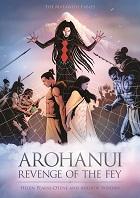
Arohanui: Revenge of the Fey
This resource is part of the graphic novel series The Matawehi Fables. It tells the magical tale of two iwi: one thriving, the other starving and desolate, forced to enter in to a bargain to secure survival and a future for their people.
Arohanui Teacher Notes
This teacher resource aligns to the graphic novel Arohanui: Revenge of the Fey.
It is designed to help teachers use the graphic novel to engage learners and help them develop their skills across all areas of literacy. The resource provides a basic and practical guide for teachers with a ‘how to’ focus on using graphic novels to support their literacy programmes.
Meariki: The Quest for Truth
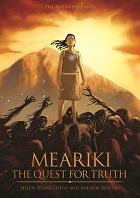
Meariki is a slave to the people of Ngāi Kūwai. When the daughter of the chief is kidnapped, Meariki is sent on a quest to rescue her. Along the way she meets some interesting characters. Ultimately Meariki discovers her true destiny.
Developing Historical Signage - DDDO PO3
History - WOTPOINT
One of the projects that students enjoyed has been to develop new signage for some of the areas around the community. This was a project that was developed around the integration of learning areas, Technology and Social Science, this involved them finding out information through their social sciences class, on an aspect of the history of the area. This enabled students to have an authentic context in which to learn and implement design principles.
Learning Objectives (Social Science)
|
Learning Objectives (Technology)
| ||
|
|
Using a variety of ideas from paper's past, as well as students developing their own inquiry into an aspect of the area.
While we are lucky at Hobsonville Point to have such a variety of history around us, from being an RNZAF base, also around us is the former pottery companies that existed, they loved the white clay of Onekiritea.
Also using the https://www.heritage.org.
Students looked at the buildings and areas that exist on the point and choose one from the list that was provided or one of their own suggestions.
Students learnt how to do isometric drawings, as well as drawing sketches. They then took these into Google Sketchup to enable them to learn new tools and techniques in an unknown piece of software that they could then use to model up an idea in the future.

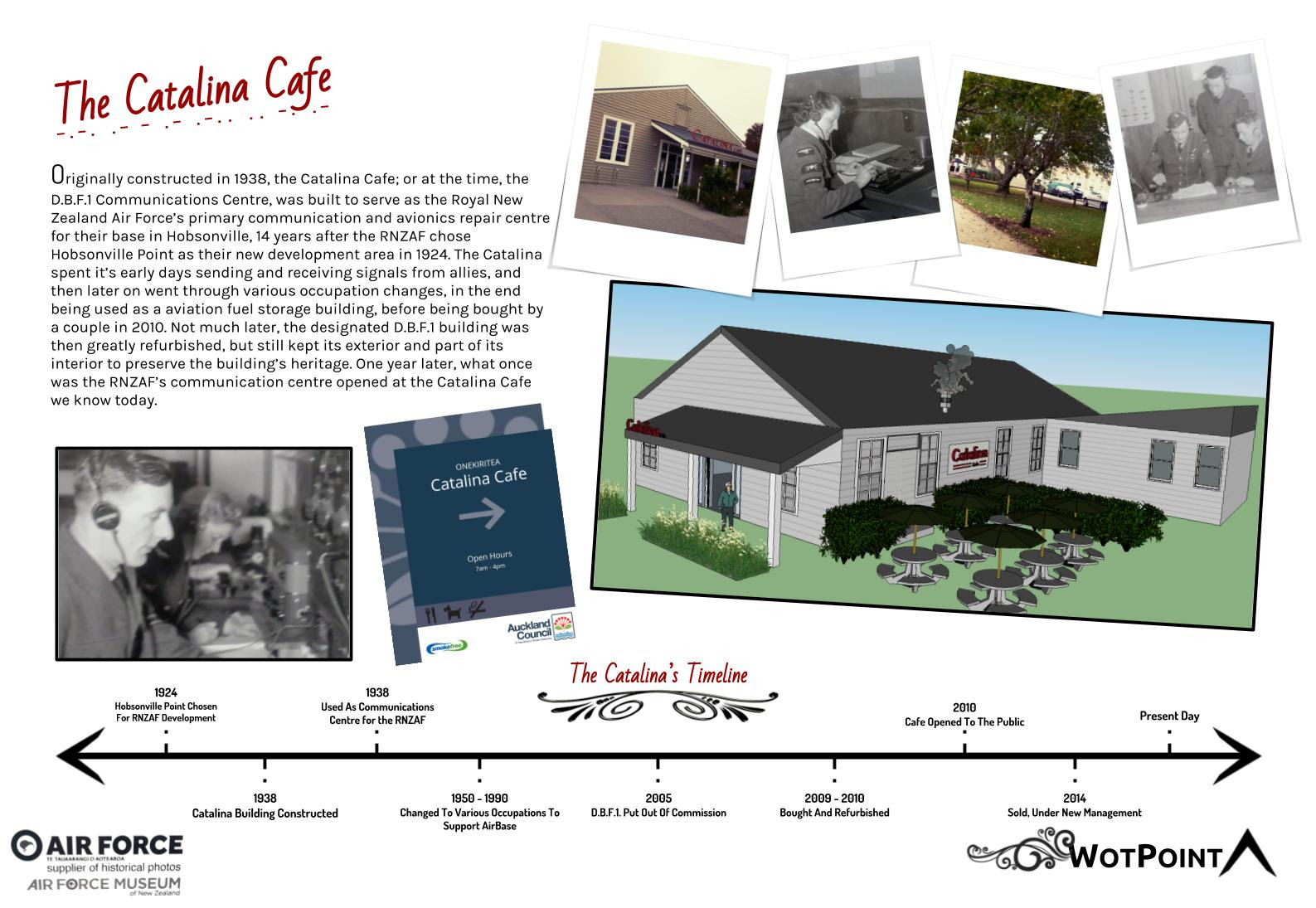


While we used the Auckland Design Guidelines, getting students to design and develop a sign that could be used to display the information. This highlighted to the students the new part of the progress outcome of the DDDO Progress Outcomes.
Opportunity for Priority Learners.
Outcomes involved students even creating their location through the use of Minecraft, working at below curriculum levels. But opportunities to build and develop content that could be used to incorporate into their design.
Also involved a student that is wheelchair bound to hook up a go pro to there wheel chair computer bracket for them to go out and take photos of their historical place to be able to incorporate their research and own images in their work.
Progress Outcome 3 used
In authentic contexts, students follow a defined process to design, develop, store, test, and evaluate digital content to address given contexts or issues, taking into account immediate social, ethical, and end-user considerations. They identify the key features of selected software and choose the most appropriate software and file types to develop and combine digital conten
Monday, 4 March 2019
The Computational Thinking Duck
The Computational Thinking Duck
One of the key playtime activities that almost every child has engaged in is playing with LEGO bricks. Remember getting the playset, where you had a set of instructions to build a scene? Many a child has followed those instructions to create that scene, and then simply chucked them away to build something totally unique and different. LEGO bricks are a perfect outlet for creativity for both adults and children alike. We can teach not just creative problem solving, but also tackle key concepts in Engineering and Physics amongst others.This activity uses 6 LEGO bricks. The task is simple. Give each person a set of bricks and tell them to build a duck. What do you come up with? Suitable for all age groups, this activity helps cover key computing and computational thinking concepts such as: algorithms and algorithm design, abstraction, evaluation, logical reasoning and many more. Download the teacher guidance notes below for full details.
I must admit when I found this today, that it was out of the blue, I am now trying to find all the bits to make this. It is one thing that I start my classes off with without realising it. I get them using the lego learn to learn series to design and develop a number of different items to get them thinking about design thinking. The duck is the first one of them.

Tuesday, 26 February 2019
STEM and twitter

This was posted on twitter a couple of weeks ago.
So, I decided to respond through my lens
My goal is to understand how STEAM can work within a secondary school environment to help design an integrated environment for students projects that they develop their inquiry around to develop. So I suppose it’s around learner agency and how it can support STEAM based learning.
And, the announcement I didn't expect, I won the micro:bit.
Thursday, 21 February 2019
Digital technologies, Exploring the Revised Technology Learning Area
Exploring the Revised Technology Learning Area
Exploring the Revised Technology Learning Area. From the beginning of the ideas, the word compulsory was used. This is no longer the case. I wish I had read and understood the words from the following document earlier in the process. It has been through reading this as well as a range of other documents that I am now starting to develop a better understanding and as well as develop better guidance.
So the main document I am reading and developing my understanding is from http://nzcurriculum.tki.org.nz/The-New-Zealand-Curriculum/Technology this is the Revised Curriculum document for Technology.
We've revised the Technology learning area to strengthen the positioning of Digital Technologies in The New Zealand Curriculum. The goal of this change is to ensure that all learners have the opportunity to become digitally capable individuals. This change signals the need for greater focus on our students building their skills so they can be innovative creators of digital solutions, moving beyond solely being users and consumers of digital technologies.
Schools will be expected to fully integrate the revised learning area into their curriculum by the start of the 2020 school year.
Technology in the New Zealand Curriculum 2017 (PDF, 354 KB)
So the main document I am reading and developing my understanding is from http://nzcurriculum.tki.org.nz/The-New-Zealand-Curriculum/Technology this is the Revised Curriculum document for Technology.
We've revised the Technology learning area to strengthen the positioning of Digital Technologies in The New Zealand Curriculum. The goal of this change is to ensure that all learners have the opportunity to become digitally capable individuals. This change signals the need for greater focus on our students building their skills so they can be innovative creators of digital solutions, moving beyond solely being users and consumers of digital technologies.
Schools will be expected to fully integrate the revised learning area into their curriculum by the start of the 2020 school year.
Technology in the New Zealand Curriculum 2017 (PDF, 354 KB)
Technological areas
The technological areas provide contexts for learning. At primary school, teachers will generally take a cross-curricular approach, with students learning in the technological areas as part of a topic or theme that encompasses several curriculum learning areas. This approach can also be applied in years 9 and 10, before students begin to specialise in particular technological areas.Digital technologies
The first two of the five technological areas focus on developing students’ capability to create digital technologies for specific purposes. In years 1–8, these two areas are usually implemented within other curriculum learning areas, integrating technology outcomes with the learning area outcomes. These two areas also significantly contribute to students developing the knowledge and skills they need as digital citizens and as users of digital technologies across the curriculum. They also provide opportunities to further develop their key competencies.By the end of year 10, students’ digital technological knowledge and skills enable them to follow a predetermined process to design, develop, store, test and evaluate digital content to address a given issue. Throughout this process, students take into account immediate social and end-user considerations. They can independently decompose a computational problem into an algorithm that they use to create a program incorporating inputs, outputs, sequence, selection and iteration. They understand the role of systems in managing digital devices, security and application software, and they are able to apply file management conventions using a range of storage devices.
By the end of year 13, students who have specialised in digital technologies will design and develop fit-for-purpose digital outcomes, drawing on their knowledge of a range of digital applications and systems and taking into account a synthesis of social, ethical and end-user considerations. They understand how areas of computer science such as network communication protocols and artificial intelligence are underpinned by algorithms, data representation and programming, and they analyse how these are synthesised in real world applications. They use accepted software engineering methodologies to design, develop, document and test complex computer programs.
So, what is it that I have found, technology in general, this is not specific to digital technologies, but all the technology strands.
The technological areas provide contexts for learning. At primary school, teachers will generally take a cross-curricular approach, with students learning in the technological areas as part of a topic or theme that encompasses several curriculum learning areas. This approach can also be applied in years 9 and 10, before students begin to specialise in particular technological areas.When reading this, the part I have to remember is...
At primary school, teachers will generally take a cross-curricular approach, with students learning in the technological areas as part of a topic or theme that encompasses several curriculum learning areas.That encompasses several learning areas... Ok, I know what that means.
This approach can also be applied in years 9 and 10, before students begin to specialise in particular technological areas.Specifically focussing on Digital technologies now...
In years 1–8, these two areas are usually implemented within other curriculum learning areas, integrating technology outcomes with the learning area outcomes.Now back to the first section,
Schools will be expected to fully integrate the revised learning area into their curriculum by the start of the 2020 school year.Fully integrate, what does this mean, and for me this thinking has been derived from Page 44 of the NZC 2007. Is it that schools should be integrating the revised Technology Learning Area into their schools effectively taught programme of Technology.
Now, what does it say in the other strands?
Learning pathways, Page 5
Over the course of years 1–10, students learn in all five technological areas, developing their knowledge and skills in context. By offering a variety of contexts, teachers help their students to recognise links between technological areas. Students should be encouraged to access relevant knowledge and skills from other learning areas and to build on their developing key competencies. Work towards progress outcomes in computational thinking for digital technologies and designing and developing digital outcomes should build each year in order to ensure learners achieve all of the significant learning steps.
This states the five technological learning areas,
- Computational thinking for digital technologies
- Designing and developing digital outcomes
- Designing and developing materials outcomes
- Designing and developing processed outcomes
- Design and visual communication.
How are school integrating the learning from these areas with their school curriculum?
While it could be integrated within other learning areas, as it would be in the primary school years, this is where schools need to be figuring out what they are planning on doing. If integration is being used within schools to combine learning areas into rich learning as they now are in the new modern learning environment schools where the pedagogy has changed and the removal of SILO's has been thought about and developed through comprehensive PLD. These are few and far between. There are existing schools that are using this change to explore curriculum review to be able to reshape what the curriculum looks like within the school.
While aspects of these two areas could be taught within other curriculum areas, it is through the technology-digital technologies specialist teacher that the strength of the specific curriculum knowledge and skill to allow the rich learning to take place to enable students by the end of year 10 the knowledge and skills to enable them to meet the suggested outcomes in the document.
While all teachers are teachers of literacy and numeracy, digital fluency, it is the specific subject knowledge and skills of the specialist teacher that provides opportunities for students to engage through authentic contexts and end users the rich learning.
While aspects of these two areas could be taught within other curriculum areas, it is through the technology-digital technologies specialist teacher that the strength of the specific curriculum knowledge and skill to allow the rich learning to take place to enable students by the end of year 10 the knowledge and skills to enable them to meet the suggested outcomes in the document.
While all teachers are teachers of literacy and numeracy, digital fluency, it is the specific subject knowledge and skills of the specialist teacher that provides opportunities for students to engage through authentic contexts and end users the rich learning.
Schools also need to consider the NZC 2007
Page 44 of the New Zealand Curriculum States
Each board of trustees, through the principal and staff, is required to develop and implement a curriculum for students in years 1–13:
- that is underpinned by and consistent with the principles
- in which the values are encouraged and modelled and are explored by students
- that supports students to develop the key competencies.
When designing and reviewing their curriculum, schools select achievement objectives from each area in response to the identified interests and learning needs of their students. For learning in digital technologies, schools need to provide learning opportunities in line with the progress outcomes from the technology learning area.
Models of Curriculum Integration
Models of Curriculum Integration in New Zealand Secondary Schools, Philip Jellyman, The conclusion is one of the best that I have found. However, I feel that he does miss a point, the catalyst for change should not only be about buildings, but schools looking at how they are offering the curriculum. It has now been 11 years since the NZC 2007 was implemented within schools.
Models of Curriculum Integration in New Zealand Secondary Schools, Philip Jellyman, The conclusion is one of the best that I have found. However, I feel that he does miss a point, the catalyst for change should not only be about buildings, but schools looking at how they are offering the curriculum. It has now been 11 years since the NZC 2007 was implemented within schools.
Conclusion Implemented well, an integrated curriculum, aligned with modern teaching practices such as inquiry learning based on authentic contexts, has the potential to enhance student learning and competencies beyond what is generally possible in subject specific lessons. Schools considering introducing some form of integrated curriculum should be wary of the barriers identified above and take steps to address them in advance. The most successful schools operating integrated curricula tended to be those new schools that have been built over the past 10 years. The reason for their success is that they were able to integrate solutions to these barriers into their design. For example, a clear vision of what an integrated curriculum looks like was typically established as a part of the founding principles of the school with the timetable designed to facilitate this from the beginning. Staff were hired with a clear understanding what this vision was and the ramifications for their teaching and parents were inducted into the school’s vision without any baggage as to how things were done in the past. In addition, the advent of more open plan modern learning environments contributes to the opportunities to integrate the curricula by allowing multiple teachers to be operating in the same space with several classes.
This latter point may constitute an opportunity for established schools considering an integrated curriculum in that, as new school buildings are built along modern learning environment principles over the coming years, this could provide a catalyst for discussion and integrated curriculum development.
In terms of the best structure for an integrated curriculum, from my observations I would suggest that the structure is less important than the collective vision of what the school wants the students to gain from it. Staff and senior leadership need to be clear as to what a move to an integrated curriculum is designed to achieve for the students and the rationale behind it. If the staff are on board and supported with time and professional development, then any structure can be made to work well and similarly, if staff do not buy into the programme then which structure is followed will not matter either.
Curriculum integration in New Zealand secondary school, lessons learned from four early adapter schools looks at the following lessons learned, the ideas here are around school leadership taking an active role in the development of this. Currently, it feels through the feedback that the Revised Technology Learning Area is being given to the Digital Technology teacher to sort out, rather than taking a leading role in a whole curriculum integration approach.
Conclusion—lessons learnedModels of Curriculum Integration in New Zealand Secondary Schools Sabbatical report, Term 2, 2015, Philip Jellyman, St Dominic’s Catholic College
In sum, a number of lessons can be learned from the experience of these early adopter schools:
- Schools and their leaders should not underestimate the importance of addressing teachers’ beliefs about curriculum integration, as well as allowing teachers time to confront the necessity for change.
- Slow, considered change leads to more effective and successful curriculum integration.
- Timely and relevant professional learning is vital to allow teachers to gain firm theoretical understandings in order to support curriculum integration.
- Individual teachers interested in embracing curriculum integration should ensure that they are adequately supported by senior and middle leaders, as well as colleagues and caregivers. The decision to employ curriculum integration should be grounded in a real need, which is student-driven.
- Resources are needed to equip school leadership, and provide a greater research base to support schools to develop sophisticated approaches to curriculum integration (Dowden, 2012).
http://www.educationalleaders.govt.nz/content/download/73195/601556/file/Philip%20Jellyman%20Sabbatical%20Report%202015%20-%20Models%20of%20Curriculum%20Integration.pdf
Intergration models in New Zealand, Radio NZ, 2018
https://www.radionz.co.nz/national/programmes/insight/audio/2018670501/learning-revolution-or-pathway-to-ignorance
Student inquiry and curriculum integration, Shared origins and points of difference (Part A), Sally Boyd and Rose Hipkins, 2012, https://www.nzcer.org.nz/system/files/set2012_3_015.pdf
Curriculum integration in New Zealand secondary schools, Lessons learned from four “early adopter” schools, Susan Arrowsmith and Bronwyn E. Wood, 2015, https://www.nzcer.org.nz/system/files/set2015_1_058.pdf
Subscribe to:
Posts (Atom)

