Showing posts with label DDDO. Show all posts

Wednesday, 3 July 2019

physical computing - DDDO PO 2

I have been investigating these three devices into how I can deliver DDDO PO 2
  • micro:bit
  • makecode haloCode
  • adafruit Circuit Playground Express


You maybe wondering why I am not just looking at one device, each one has its unique features that I have been starting to look at and wonder what is possible.

micro:bit


makecode halocode


adafruit playground express


The halocode interested me because of the built in wireless, this means that it is a device that can be used to capture information and use it with IoT. I am also interested in the AI features that it talks about on the website.

The circuit playground came out a while ago and I was looking at it as it has the built-in neopixels, as well as having the extra pins available. This meant I could use it as a gateway device getting students from beginning to a more intermediate electronics route.
I have been using the mindkits brainboard, it menat that students could develop quickly some programs to use the built-in features of the device. They could program LEDs, buttons, use light and make sounds. However, this was discontinued. But the learning that I took from this and interest and engagement from the students was one that I couldn't just stop. So the investigation started.

Considering the ideas that we are looking at with DDDO, I have been working at delivering Progress Outcome 2. This allows for students to look at components in a simple input - process - output system. It is an introduction into what is possible for students to develop possible ideas of innovation and creativity. The next stages would be to include components like servos and sonic sensors into an art installation.

The next stage is to investigate the opportunities of the programming environments. Not that this is a focus


DDDO: Progress outcome 2


In authentic contexts and taking account of end-users, students make decisions about creating, manipulating, storing, retrieving, sharing, and testing digital content for a specific purpose, given particular parameters, tools, and techniques. They understand that digital devices impact on humans and society and that both the devices and their impact change over time.

Students identify the specific role of components in a simple input-process-output system and how they work together, and they recognise the "control role” that humans have in the system. They can select from an increasing range of applications and file types to develop outcomes for particular purposes.

Sunday, 16 June 2019

SPIN - minecraft

I am busy creating the beginnings of a SPIN at the moment, minecraft education.

This is something that I have been dreading for a while now. It has been something that I have struggled to see the purpose and function of.


However, I have had to have a growth mindset. I have seen the benefit of how it has improved ideas and development in younger students, been looking at flying and motor control. However, it is how students see themselves within the game.


It was interesting last week when the senior students were playing it and asked for a set of laws to be created when having a shared server running so they couldn't stab each other in the back, or raid the houses.

So, the thinking started.

Login
End user license agreement, read and take am a paragraph from it and explain in student speak.
Use already created world, has a tutorial to run through
Find camera and take a photo, then take a selfie
Research four blocks thy you have encountered as part of your exploration and present in slide deck
Investigate why Minecraft has taken off as it has and develop a simple game review to end the lesson including your photos.


Notes:
Classroom created and shared
I do not think we will even get through half this lesson, but it is there to support and guide future

Session two, creating a sketch world

Developing a range of designs for above ground, in no particular order, including a house, spca care center for the animals(cat, dog, pig, chicken, horse) that escape, Also what does one of the learning spaces at rolleston
look like in Minecraft, thinking about scale at the same time, what would be a good scale to develop in when developing a world.

Note: could be a possible future build.
Creation of a learning pit?

With this, there is also a plan of other activities that are in development, in groups students will be required to create aspects in the physical world that will then need to be created in the virtual world.

legoCRAFT


pixelCRAFT


paperCRAFT

Wednesday, 6 March 2019

DigiCreate - DDDO PO3

DIGCREATE - DDDO PO3

Graphic novels are a great place to start Integrating English and Digital Technologies together, as well as integrating Art concepts.

The following resources have been made available for Teachers and Schools. In the teacher's guide they there are pages of a practising artist talking about the different tools and techniques that they use to develop the novels.

Getting students to develop content, ideas through an English lesson and then using ipad's, drawing tablets, to draw there own characters and place them into an environment that could be created as part of their art class for backgrounds using different art techniques. The focus was a single page as part of their work.

Here is part of the design and planning of one of the students work that was developed as part of this integrated module at Hobsonville Point Secondary Schoo
20150424_095209.jpg

Graphic Novels

Graphic novels are a genre of literature that present their narrative primarily through pictures. Graphic novels are an ideal way of encouraging reluctant readers to engage with a detailed extended text. 
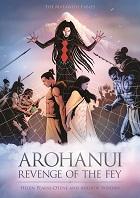
Arohanui: The Revenge of the Fey cover

Arohanui: Revenge of the Fey 

This resource is part of the graphic novel series The Matawehi Fables. It tells the magical tale of two iwi: one thriving, the other starving and desolate, forced to enter in to a bargain to secure survival and a future for their people.
Arohanui: Teachers Notes cover

Arohanui Teacher Notes

This teacher resource aligns to the graphic novel Arohanui: Revenge of the Fey. 
It is designed to help teachers use the graphic novel to engage learners and help them develop their skills across all areas of literacy.  The resource provides a basic and practical guide for teachers with a ‘how to’ focus on using graphic novels to support their literacy programmes.

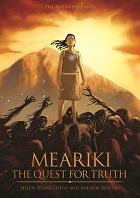
Meariki: The Quest for Truth 

Meariki is a slave to the people of Ngāi Kūwai. When the daughter of the chief is kidnapped, Meariki is sent on a quest to rescue her. Along the way she meets some interesting characters. Ultimately Meariki discovers her true destiny.

Developing Historical Signage - DDDO PO3

History - WOTPOINT

One of the projects that students enjoyed has been to develop new signage for some of the areas around the community. This was a project that was developed around the integration of learning areas, Technology and Social Science, this involved them finding out information through their social sciences class, on an aspect of the history of the area. This enabled students to have an authentic context in which to learn and implement design principles. 


Learning Objectives (Social Science)
Learning Objectives (Technology)
  • To MAKE SENSE by understanding cultural diversity.
  • To MAKE SENSE by understanding the significance of biculturalism in New Zealand.
  • To FOCUS on interpreting resource material for validity, meaning and relevance.
  • To generate by producing a technological outcome
  • To refine by transforming materials to be fit for purpose


Using a variety of ideas from paper's past, as well as students developing their own inquiry into an aspect of the area.
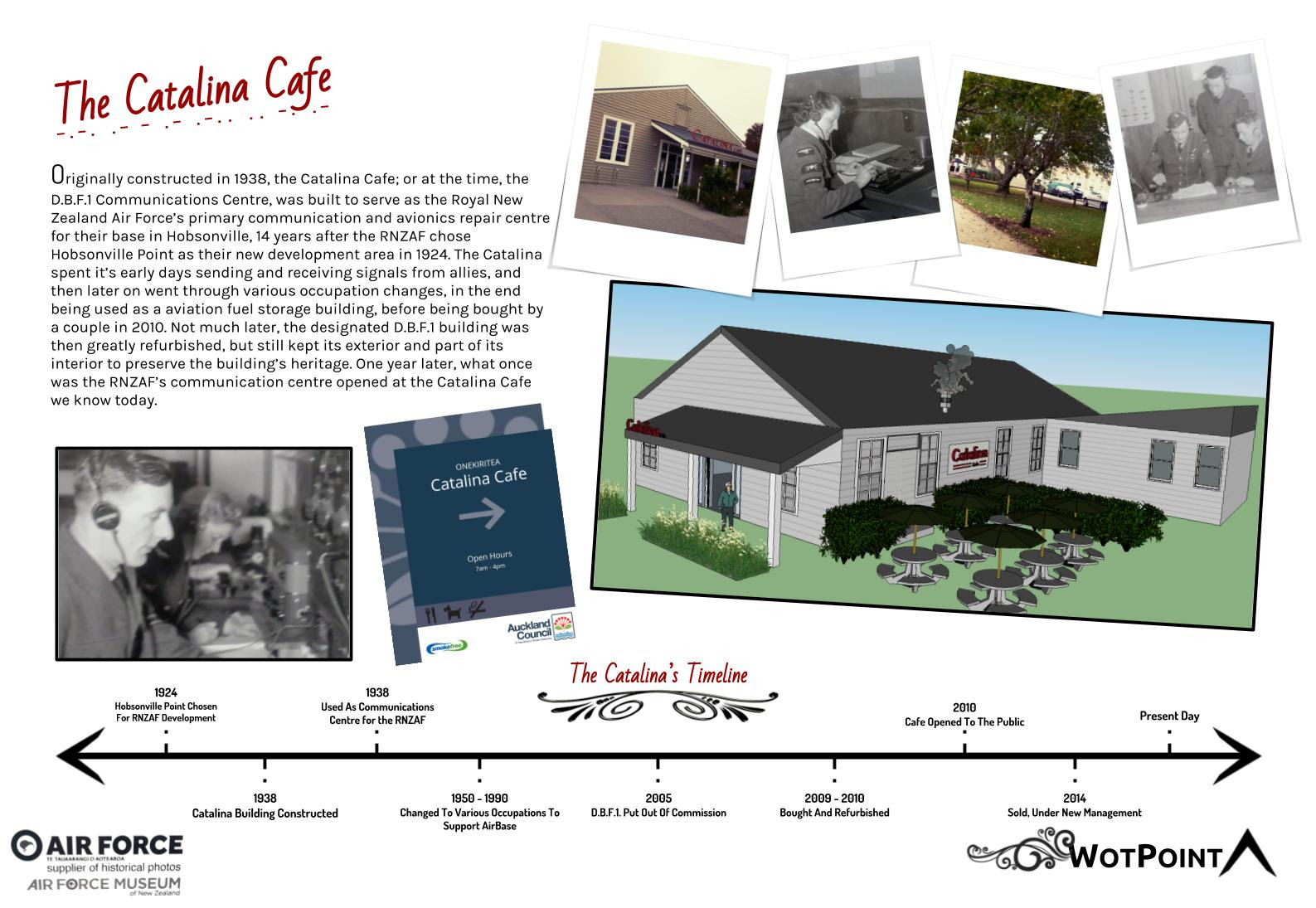
While we are lucky at Hobsonville Point to have such a variety of history around us, from being an RNZAF base, also around us is the former pottery companies that existed, they loved the white clay of Onekiritea. 

Also using the https://www.heritage.org.nz/the-list site, as well as local historical knowledge to get students investigating their local history. Aspects of research, collecting images that are on the https://digitalnz.org/ project. As well as students going and taking their own images, an aspect of this is included at the bottom of the email around enabling priority learners.

Students looked at the buildings and areas that exist on the point and choose one from the list that was provided or one of their own suggestions. 

Students learnt how to do isometric drawings, as well as drawing sketches. They then took these into Google Sketchup to enable them to learn new tools and techniques in an unknown piece of software that they could then use to model up an idea in the future.


While we used the Auckland Design Guidelines, getting students to design and develop a sign that could be used to display the information. This highlighted to the students the new part of the progress outcome of the DDDO Progress Outcomes.

Opportunity for Priority Learners.
Outcomes involved students even creating their location through the use of Minecraft, working at below curriculum levels. But opportunities to build and develop content that could be used to incorporate into their design.
Also involved a student that is wheelchair bound to hook up a go pro to there wheel chair computer bracket for them to go out and take photos of their historical place to be able to incorporate their research and own images in their work.


Progress Outcome 3 used

In authentic contexts, students follow a defined process to design, develop, store, test, and evaluate digital content to address given contexts or issues, taking into account immediate social, ethical, and end-user considerations. They identify the key features of selected software and choose the most appropriate software and file types to develop and combine digital conten

Saturday, 2 February 2019

Beginning of the year - project

Looking at what our community day is at HPSS this year, developing an amazing race for students to participate in to develop relationships and getting to know each other within the hubs. I was put onto this by someone on facebook.
What a cool way to develop a digital outcome that would need to have thought about activities, packaging, concept as well as branding.

What a cool thing to be able to give back in the way of manakitanga, a gift to form classes an opportunity to grow at the beginning of the year.

Project that could be aimed at year 7-10, in groups

Idea and inspiration gained from:
https://www.facebook.com/gettinglostnz/


Friday, 1 February 2019

Great Year 9-10 project Makecode - arcade

I have been watching the videos from the BETT 2019 conference today. Microsoft have been releasing some great ideas. One that has me excited is the arcade.makecode.com 


image.png
They have been developing an interesting idea of game design and linking it in with adafruit hardware as well as other systems that will be coming out in the near future.

What could a term look like with adafruit electronics with your game loaded on digital media that you have created on your own 3d printed custom case game device?
image.png
I love the idea of a student project that students can take away that has such a uniqueness to it.

included is a blog post showing more ideas https://makecode.com/blog/arcade/01-18-2019

STEM activity - Brain impact simulator

The other part of the video provided an awesome opportunity to hack STEM

https://www.youtube.com/watch?v=hOHiXQTcy4I&feature=youtu.be is the new extension to be able to bring in data into excel. Getting into data science, especially designing a new helmet to be able to protect the head from a concussion. It has been interesting over the years having to do concussion tests on students that have had a head clash at lunchtime on the field, also it has been surprising the number of students that have head injuries in school that need time. What a cool way to integrate health and digital technologies using data, as well as getting to understand the issues and why http://www.bluecard.co.nz/ is such an important initiative in sports today.
Integrating technology into this as well as some schools have vacuum formers in which students could investigate the concept and design, and test these. 
Also the idea of developing a textiles solution as well.

Screen Shot 2019-01-28 at 8.33.56 PM.png

Building models to understand and mitigate brain injury

It works with a micro:bit!!!!!

It can also be created with an arduino as well.

What awesome ideas for Year 9 or 10.

Database task and infographic - action calendar - DDDO 3/4

I have been thinking of different activities to do through the DDDO Progress Outcome 2(Looking at but not reporting at this stage), 3 and 4, and thinking about what kind of theme to have students inquiring through Term Two, when we have a whole school theme of Relationships. 
I have put the planning stuff at the top, Progress Outcomes for DDDO and Technology Achievement Objective focus - Technological Products.
This is just an idea of thinking at the moment. Plan to put into a more google doc structure later on. 

*Thoughts, thinking, is there something that I am missing?*

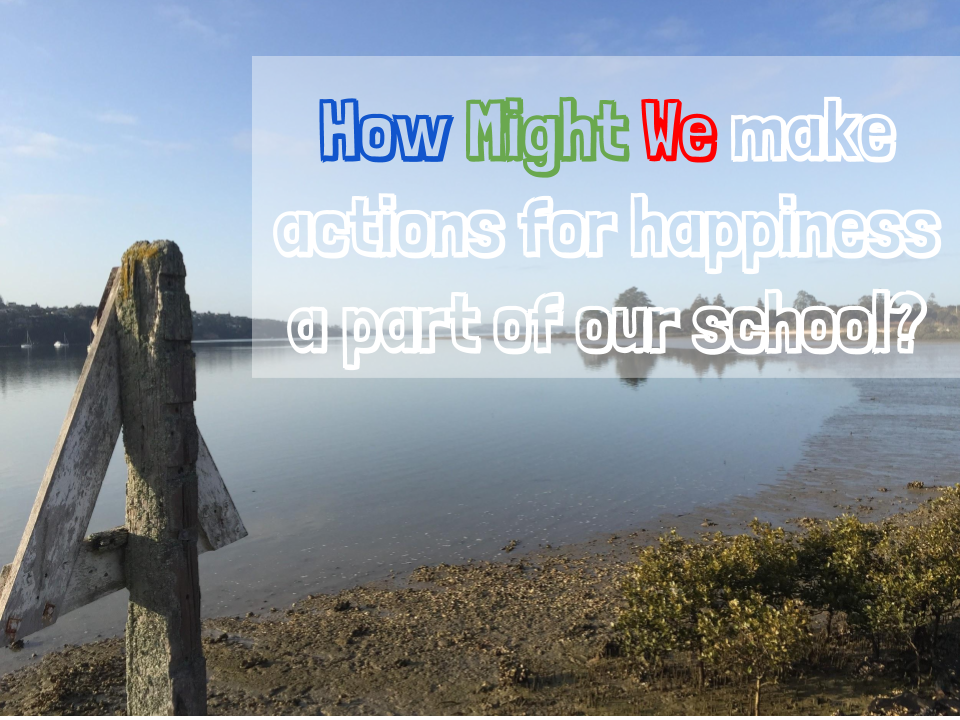
How Might We Gerard - DTHM Slide.png 

Planning and Curriculum Coverage
Designing and Developing Digital Outcomes Progress Outcomes
Progress Outcome 3 for DDDO
In authentic contexts, students follow a defined process to design, develop, store, test and evaluate digital content to address given contexts or issues, taking into account immediate social, ethical and end-user considerations. They identify the key features of selected software and choose the most appropriate software and file types to develop and combine digital content.
Students understand the role of operating systems in managing digital devices, security, and application software and are able to apply file management conventions using a range of storage devices. They understand that with storing data comes responsibility for ensuring security and privacy.
Progress Outcome 4 for DDDO
In authentic contexts, students investigate and consider possible solutions for a given context or issue. With support, they use an iterative process to design, develop, store and test digital outcomes, identifying and evaluating relevant social, ethical and end-user considerations. They use information from testing and apply appropriate tools, techniques, procedures and protocols to improve the quality of the outcomes and to ensure they are fit-for-purpose and meet end-user requirements.

Also:
Technology Achievement Objectives - Technological Products
School Learning Area - Learning Objective: To refine by transforming materials to be fit for purpose
Level Four: Students will: Understand that materials can be formed, manipulated, and/or transformed to enhance the fitness for purpose of a technological product.

Achievement objective

Students will: Understand that materials can be formed, manipulated, and/or transformed to enhance the fitness for purpose of a technological product.

Teacher guidance

To support students to develop understanding of technological products at level 4, teachers could:
  • provide students with the opportunity to discuss what is meant by materials being formed, manipulated, and transformed.
Forming refers to bringing two or more materials together to formulate a new material resulting in a different overall composition and structure to that of the original materials. Transforming refers to changing the structure of an existing material to change some of its properties, but in terms of its composition, it remains the same material. 
  • guide students to understand that for materials to be selected for use in a technological product, their performance properties must align with the desired specifications of the product
  • guide students to recognise that during development of a product, specifications are established that will require the manipulation, and in some cases, transformation and formation, of materials
  • provide students with a variety of technological products to explore and guide students to identify examples of when materials needed to be manipulated, transformed and/or formed to enable material linked specifications of the product to be met and contribute to the product’s fitness for purpose
  • provide students with a scenario outlining technical and acceptability specifications for a product and support them to explore and research materials to determine what material would be suitable and how they could be manipulated and/or transformed to meet product specifications
  • support students to communicate material related
  • details effectively. Material related details include such things as what materials would be feasible and how they would need to be formulated, manipulated and/or transformed. Effective communication uses specialised language and symbols.

Indicators

Students can:
  • describe examples to illustrate how the manipulation of materials contributed to a product’s fitness for purpose
  • describe examples to illustrate how the transformation of materials contributed to a product’s fitness for purpose
  • describe examples to illustrate how the formulation of new materials contributed to a product’s fitness for purpose
  • communicate, using specialised language and drawings, material related details that would allow others to create a product that meets both technical and acceptability specifications.
Level Five: Students will: Understand that materials can be formed, manipulated, and/or transformed to enhance the fitness for purpose of a technological product.

Achievement objective

Students will:
Understand how materials are selected, based on desired performance criteria.

Teacher guidance

To support students to develop understanding of technological products at level 5, teachers could:
  • guide students to understand that the composition of materials determines what performance properties it exhibits. Composition relates to such things as the type and arrangement of particles that make up the material
  • support students to analyse examples of how materials have been selected to gain insight into how this selection relies on understanding the composition of the materials available and using this knowledge to help decide which materials in combination would provide the best "fit" with the product specifications.
Examples should include the material selection practices of technologists.

Indicators

Students can:
  • discuss examples to illustrate how the composition of materials determines performance properties
  • explain the link between specifications of a product and the selection of suitable materials for its construction
  • discuss examples to illustrate how decisions about material selection take into account the composition of the material and the specifications of the product.

Project:
How Might We make Action for Happiness a part of our school, or classroom practice?
The following resource has existed for a good period of time and provides a good basis for this project.
image.png

The focus of this project is to develop a database using the calendars as a focus for content, that they can be used to push the content of each day through to the Visual Signage in the hallway at school.
Other ideas, how could databases/spreadsheets be used to help create individual slides/graphics quickly to be able to deal with this type of data when planning a month or week of activities in the school. 
Even recreating the document to a weekly focus through design principles and infographics.  

One of the issues that will come up as part of this when dealing with databases, is date formatting.
Dealing with dates... databases and dates, formatting dates, displaying dates and the various formats that cause databases to go askew,
An interesting way to look at this is https://xkcd.com/1179/, what other formats have students seen, or dealt with?
image.png

Students will need to come up with a way to get the information into the database, as well as possibly think of metatags, filtering that could be used in the future to help other students find activities that could be done to support.
The discussion would help students to explore filtering suggesting as well as how these make databases more easily to function and interpret.

Jan: Happy New Year (general happiness actions)
Feb: Friendly February (key: Relating)
Mar: Mindful March (key: Awareness)
Apr: Active April (key: Exercising)
May: Meaningful May (key: Meaning)
Jun: Joyful June (key: Emotions)
Jul: Jump Back July (key: Resilience)
Aug: Altruistic August (key: Giving)
Sep: Self-Care September (key: Acceptance)
Oct: Optimistic October (key: Direction)
Nov: New Things November (key: Trying Out)
Dec: Kindness Calendar (for advent/festive season)

Another part of this would be using the functions within the database about finding words and the number of instances. Using the wildcard tools(%, *, depending on platform) to find the "Appreciate" and "appreciating" word for example.

Infographic Development
Poster design and Development
image.png

Decision 1: Layout – Less is more
I consider how many key items I’m dealing with. In this case I had 4 key guidelines so considered :

How a page/slide might be divided in four.
What layouts have I not seen recently – you don’t want to many things in your classroom or school looking the same.
Is the target of the work more informative or creative. I keep layout simpler if it’s main aim in information.
I decided we had not seen a basic cheque board look recently and the aim of this poster was information., so we kept it simple.
Too much information on one page/slide can overload the viewer and fight against the intentions of the creator.

Decision 2: Style – Pick one and stick to it.
If the style remains constant it is easier to digest the info. 
Saying that, you can use style to emphasise or unite key elements. E.g. I use yellow to highlight the key word from each of the 4 guidelines on the poster above.

If you import icons for objects:
try to use a icon sets so they’re all the same style, match their line and shape style for other objects.

If you start with a photo, use it’s colours for other objectsFor colours,
image.png
use 3 max (unless doing an actual rainbow effect) + Black and white.
Use either a vertical or horizontal line on the colour pallet – match tone or single colour theme
OR use Paletton.com for a 3 colour designer pallet. (see Pic)

Stick to one line style and width
Don’t go crazy with fonts – try to stick to one and make sure it’s easy on the eye
For slides, keep to the same colour theme and style. A change of colour or style can accidentally visually imply a change of topic.

Decision 3: Balance objects size and spacing
No matter what’s on the page, make sure all the objects, when grouped, create an equal border width around the edge.
image.png
Don’t use bullets if colour and shapes can divide the info.
Consider how many key statements/elements there are and find an interesting way to divide the area up in a balanced way.
Remember people read left-to-right and top-to-bottom. Think about the order you want people to see things in.

Decision 4 – Quality and thematic images
image.png
It's the holidays, so I thought this might be a nice image to go with this resource at the time, maybe not in winter.

Using high-quality images is key to making work look professional. 
When people can quickly recognise their work looks like a quality product, teachers and students both enjoy the task much more. Speakers can be taken more seriously if they look visually professional.

Use a good royalty-free image site. Not Google.
I use pixabay.com (There are many more)
Have a creative thought about connecting the meaning of images with your theme. This cocktail on a beach might mean relax or holiday but it also might mean “escape” or “lonely”.
Try to match the colours of your graphic to the images you chose. This will help maintain the 3+B&W colour rule.

There you go. 
My final rule is “Be inspired by others.” Google “posters” and “infographics” before you start any project and try to copy the ideas of pros. 
You’ll rarely achieve the same result leaving you with wonderfully unique “ideas of you own.”
Some content copied and reused from https://eduwells.com/2018/09/12/4-guidelines-for-making-posters-slides-infographics/ as per CC 3.0 BY-NC-SA
image.png

Higher levels
To build on this would be ways for students to input what they have done to show how they have met the different posts each day.
How would they make there own type of system for ongoing daily activities, ie training calendar for sports?
How could a student develop an iCal or iCalendar (not the same thing) program to automatically add these into the days, groups, calendar. - Possibly a CT Progress focus as well?

References:
Some content copied and reused from https://eduwells.com/2018/09/12/4-guidelines-for-making-posters-slides-infographics/ as per CC 3.0 BY-NC-SA
image.png
https://xkcd.com/1179/ - XKCD Databases
http://www.actionforhappiness.org/calendars - Action for Hapiness Calendars 2018

Could we teach students how to hack hardware. DDDO PO 5

Xiaomi Mi Band 2 (Black)Thinking about the new standards and the opportunities around the integration of learning areas.
This is something that is especially part of me and my teaching over the past four years. 
Thinking about opportunities to integrate health and digital technologies.
I have been the teacher in charge or mountain biking, adventure racing and orienteering, as well as taught two comodules with health and physical education at year 9 and 10. 

While there is a lot talked about ethics within digital technologies, the ideas around fitness and the hardware that is now available that students wear or have access to. 
is it ethical to hack a device? Is it ethical what about where the data goes?
What are the relevant social, ethical and end-user considerations when doing this? 

Being able to get this data to be used in an authentic and meaningful context. While the apps show one side of the data, what else is being recorded and sent.

Could we be teaching students how to hack their devices?

I am looking at the Alternative fit bit, MI Band 2 for this project.

python
https://github.com/addibble/MiBand2

But as the DDDO PO5 states, with support, so information and guidance can be given to students.

Looking at how this might integrate into DDDO progress outcome 5
In authentic contexts and with support, students investigate a specialised digital technologies area (for example, digital media, digital information, electronic environments, user experience design, digital systems) and propose possible solutions to issues they identify. They independently apply an iterative process to design, develop, store and test digital outcomes that enable their solutions, identifying, evaluating, prioritising and responding to relevant social, ethical and end-user considerations. They use information from testing and, with increasing confidence, optimise tools, techniques, procedures and protocols to improve the quality of the outcomes. They apply evaluative processes to ensure the outcomes are fit-for-purpose and meet end-user requirements.


Sunday, 15 October 2017

developing ideas - create a computer system

Looking at the ideas of the possible achievement standards, I am working on the ideas of innovation and inspiration.

It has been good to see on the NZACDITT group that people are starting to share ideas.

The first idea is one around Aircraft Tracking.

Airways have developed some amazing software, including automation systems that allow for pilots to land in fog. This is illustrated beautifully in this clip of landing in Queenstown (where an astonishing 30% of landings are affected by fog) This is why we fly - Queenstown


We can bring some of this technology into our classrooms with a simple and inexpensive Software Defined Radio (SDR) such as this ADS-B Kit US$26 from RTL-SDR. SDRs can also be used to receive radio, tv, and to listen to aircraft and ATCs. Airways have put together the attached PDF file with steps on how we can set these up in our classrooms. They are really keen to support schools so that students are exposed to this technology.

The outcome is similar to what you see on flightradar24.com


This is great, we are right near an airfield, what a great way to start to get students interested in this as a career.
The dongle has been purchased, and what do you know, it links in with a raspberry pi. So building and developing a system to track aircraft looks high on the list of projects to do next year.

Now to start looking at how we can set this up full time.

The second idea, Make an Impact with the IoT
The teacher has been working with a vineyard in the local area, and has developed a range of sensors to probe the environment, a great starter and something that I could possible look at, however, I am also thinking about broader applications. In some ways to carry on the ideas that I gathered in Christchurch, Sensing City (trust has now closed), but the ideas are still there... https://www.arup.com/projects/christchurch-sensing-city-new-zealand


This has been one that has been on and off since I started at the school. Internet of Things. 


The network has now been built and has good coverage


Now the difficult was trying to find a kit to make this work. thinxtra in partnership with sigFox have done this, it costs about $84 to have it land in NZ.


The kit is described here

The perfect way to get started with Sigfox, the Thinxtra devkit Xkit boasts a full suite of features and accessories to empower anyone to set up an IoT solution, even with very little hardware experience. Perfect for start-ups, design houses, universities and schools, the kit has everything you need to hit the ground running using the globally available Sigfox network.

Included in the box
  • The Thinxtra Shield, with embedded sensors: temperature, pressure, light, shock and 3D accelerometer, 2 LEDs and 1 push button, 1 USB port
  • Arduino Uno R3 board clone (already plugged in the shield)
  • External 8.5 cm antenna 8.5cm for best performance
  • USB cable (to plug to a Raspberry Pi or PC or to re-flash the Arduino board)
  • Battery holder (so the kit is independent of any external power source or computer)
  • 1-year connectivity on the Sigfox global network
  • 1- year warranty. 
A great place to find what to do and how to connect and develop is here